Blog Summary
Modern businesses often rely on websites, CRM platforms, ERP systems, mobile applications, payment gateways, and other specialized tools. When these systems operate separately, employees may need to transfer information manually, creating duplicate work, delays, and inconsistent data.
API integration allows these applications to communicate and exchange information automatically according to defined rules. One of the most valuable applications is CRM and ERP integration, which connects customer-facing activities with operational, inventory, order, and financial processes.
This guide explains what API integration is, how CRM and ERP systems can be connected, the benefits of business system integration, common implementation challenges, API security considerations, real-time and event-driven integration, and how businesses can determine which systems should be integrated.
Quick Answer: What Does API Integration Do?
API integration allows two or more software systems to communicate, exchange data, and trigger actions automatically according to predefined rules.
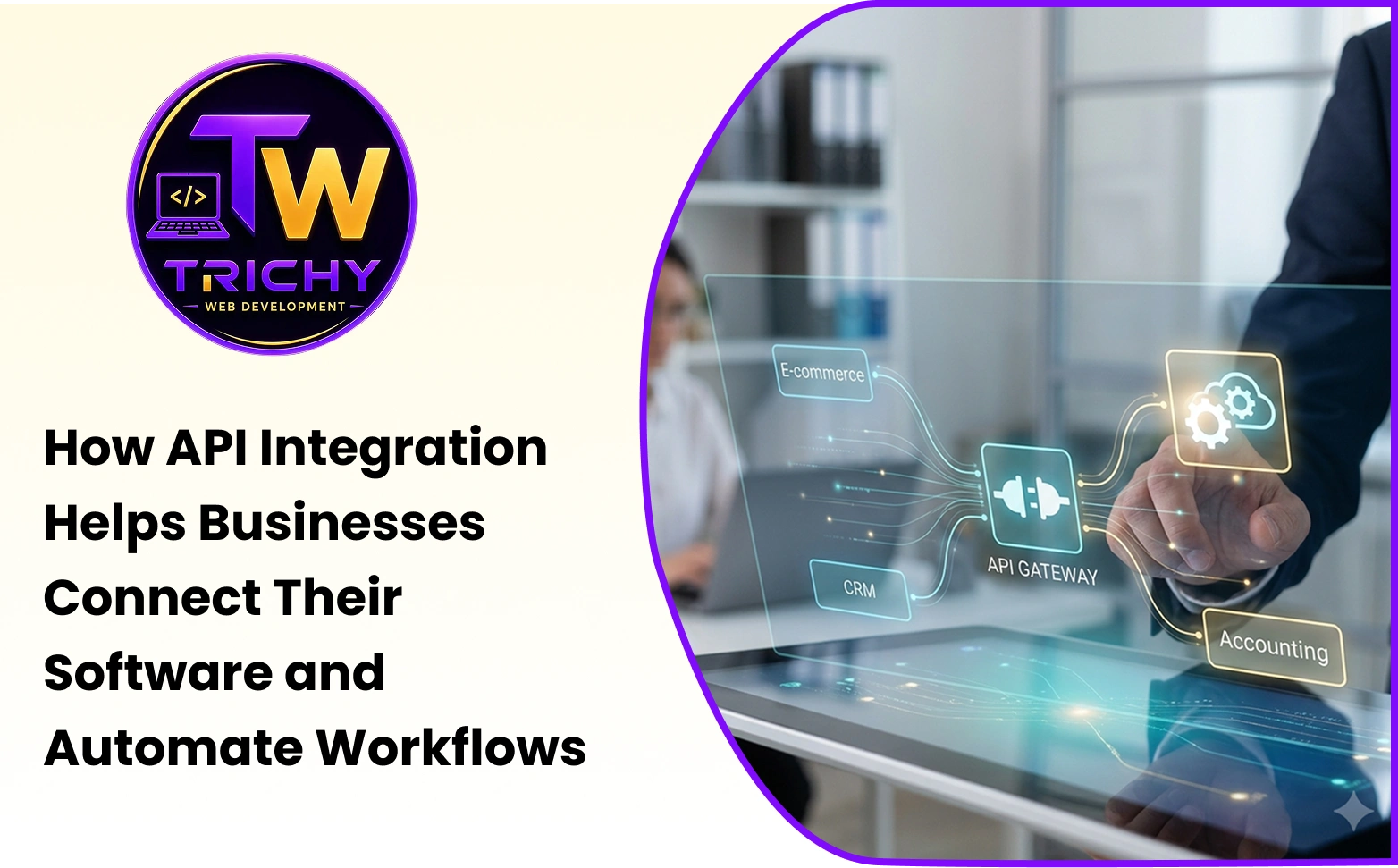
For example, when a customer submits an enquiry through a website, an API can send that information to a CRM. When the customer places an order, the website or CRM can communicate with an ERP to pass relevant order information. The ERP can then provide inventory, fulfilment, invoice, or payment-related information back to connected systems.
Instead of employees repeatedly copying information from one application to another, APIs allow predefined data exchanges to happen programmatically.
This creates connected workflows between websites, mobile apps, CRM platforms, ERP systems, payment gateways, and other business applications.
Introduction
A business can have excellent software and still experience inefficient operations.
A website may capture leads effectively. A CRM may organize customer relationships. An ERP may manage finance, inventory, purchasing, and operations. A mobile application may provide a convenient customer experience.
But when these systems operate independently, employees can become the connection between them.
A customer fills out a website form. An employee copies the details into the CRM. Another employee transfers order information into the ERP. Finance checks a separate system for payment confirmation. The customer-support team then searches multiple applications to understand what happened.
The individual software systems are not necessarily the problem. The problem is the lack of communication between them.
API integration addresses this gap by allowing applications to exchange information automatically. Instead of treating every system as an isolated tool, businesses can build a connected digital ecosystem in which each application performs its intended role while sharing the information required by other systems.
The goal is not to connect every application a business uses. It is to connect the systems involved in important business processes so information can move accurately, securely, and efficiently.
What Is an API?
API stands for Application Programming Interface.
An API provides a defined way for one software application to request information, exchange data, or perform an action in another application.
Think of an API as a structured communication layer between software systems.
A website does not need to understand how a CRM internally stores every customer record. It only needs to send the required information through the CRM's supported API. The CRM receives the request, processes it, and returns an appropriate response.
A simplified workflow can look like this:
Website → API → CRM → Response
The same concept can connect many types of applications:
-
A website can communicate with a CRM.
-
A mobile app can communicate with a backend service.
-
A CRM can communicate with an ERP.
-
An e-commerce platform can communicate with inventory software.
-
A payment gateway can communicate with an order-management system.
-
A marketing platform can communicate with a CRM.
The possibilities depend on the APIs and integration capabilities provided by each system.
API vs API Integration: What Is the Difference?
API and API integration are related concepts, but they are not exactly the same.
An API is an interface that allows software solutions to communicate with each other according to defined rules.
API integration is the broader process of using APIs and related technologies to connect applications and automate data flows.
An integration may involve:
-
API requests and responses
-
Authentication and authorization
-
Data mapping
-
Business rules
-
Validation
-
Webhooks
-
Error handling
-
Retry mechanisms
-
Logging
-
Monitoring
-
Data synchronization
For example, a CRM may provide an API for creating customer records. Connecting a website to that CRM involves more than simply calling the API. The integration must determine which website fields map to CRM fields, how the request is authenticated, what happens when the CRM is unavailable, and how duplicate or invalid records are handled.
This is why successful API integration is both a technical and business-process activity.
Why API Integration Matters for Modern Businesses
Businesses increasingly rely on specialized software.
One platform may be excellent for customer management. Another may be better for accounting. Another may handle inventory. Another may provide marketing automation.
Replacing all of these systems with one application is not always practical.
Integration provides another approach.
Instead of forcing every department to use one system for everything, businesses can allow specialized applications to communicate where information needs to move. This can create a connected workflow while allowing each application to perform the function it was designed for.
The objective is not to integrate every available application. The objective is to connect systems where information exchange creates meaningful business value.
CRM and ERP Integration Explained
CRM and ERP integration connects customer-facing information with operational and back-office information.
A CRM generally focuses on areas such as:
-
Leads
-
Prospects
-
Customers
-
Sales activities
-
Communications
-
Customer relationships
An ERP generally manages areas such as:
-
Finance
-
Inventory
-
Purchasing
-
Operations
-
Production
-
Other business processes
These functions are closely connected.
A salesperson may need to know whether a product is available. The operations team needs to know what customers have ordered. Finance needs order and customer information for billing. Customer service needs access to relevant order and account information.
Without integration, these teams may need to exchange information manually.
With CRM and ERP software integration, selected information can move between the systems automatically while each system remains responsible for its intended business functions.
How CRM Integration With ERP Works
Consider a business receiving an enquiry through its website.
The website sends the enquiry information to the CRM through an API.
The CRM creates a lead. The sales team follows up with the customer, and the lead becomes an opportunity.
When the customer places an order, relevant order information can be sent to the ERP.
The ERP can process the operational side of the transaction:
-
Inventory can be checked.
-
The order can move through fulfilment.
-
Billing information can be generated.
-
Production or purchasing workflows can begin when required.
Relevant status information can then be made available to the CRM.
The customer-facing team can see the latest order status without manually contacting another department.
A simplified workflow is:
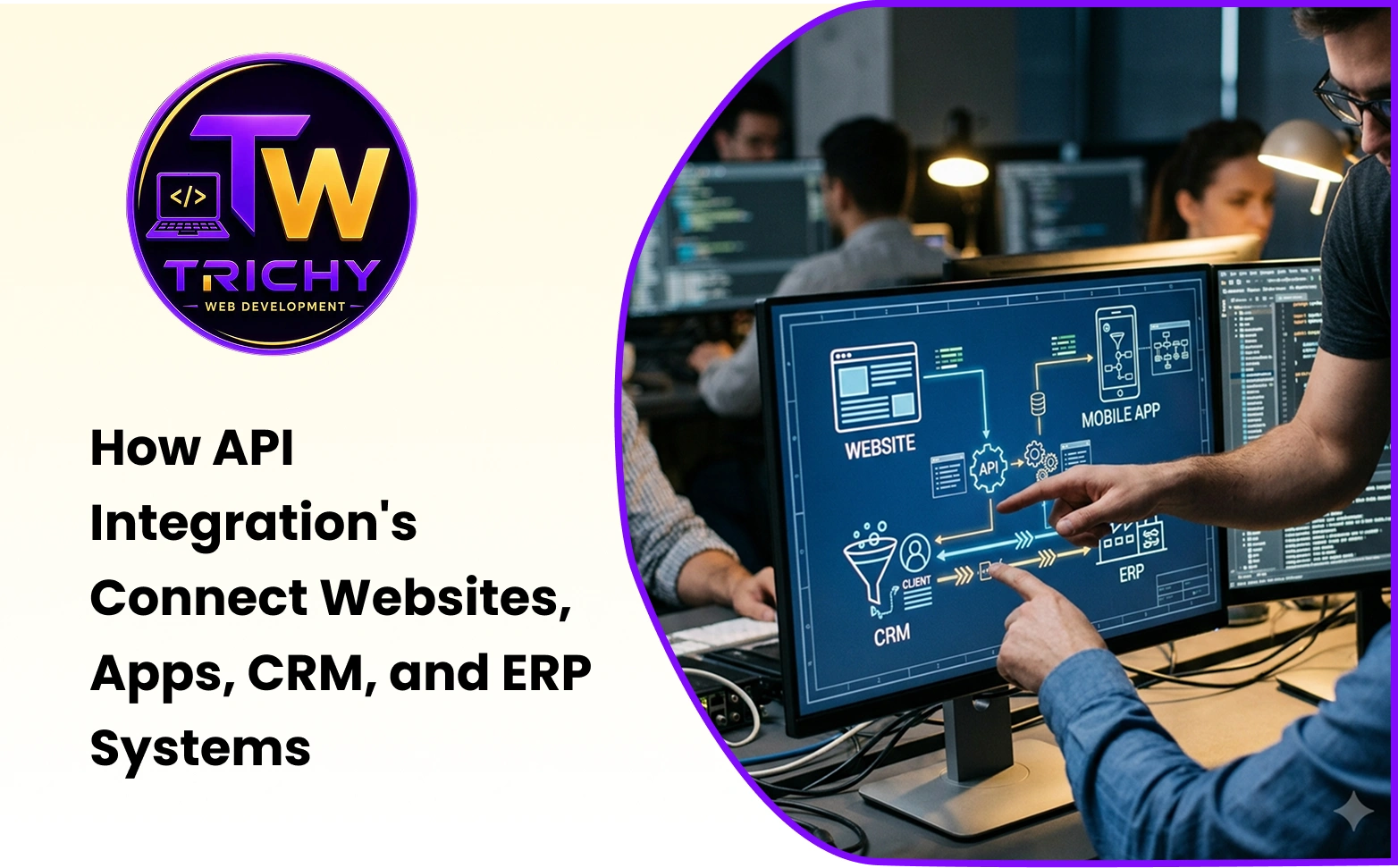
Website → CRM → Sales Opportunity → Order → ERP → Inventory/Fulfilment → Finance → CRM
This is the practical value of CRM integration with ERP. The two systems continue performing their respective functions while exchanging the information required to support the complete business process.
Benefits of CRM and ERP Integration
The benefits of CRM and ERP integration go beyond saving employees a few minutes of data entry. The larger advantage is creating continuity between customer-facing and operational processes.
Reduced Duplicate Data Entry
When CRM and ERP systems are disconnected, employees may enter the same customer, order, or transaction information multiple times.
This increases administrative work and creates opportunities for inconsistent information.
Integration can allow relevant data to move automatically between systems. Employees can focus on verifying information and managing exceptions instead of repeatedly copying it.
Better Data Consistency
A customer may have different information in the CRM and ERP.
The customer's phone number may be updated in one system but not the other. An address may be changed in the CRM while the ERP still contains an older version.
Integration can reduce these inconsistencies when synchronization rules are properly designed.
However, integration alone does not guarantee perfect data. Businesses must define which system is responsible for specific information and how updates should be handled.
Reduced Operational Errors
Manual data transfer creates opportunities for incorrect values, missed records, duplicate entries, and incomplete transactions.
Automated data exchange can reduce these risks by transferring predefined information according to established rules.
Businesses should still include validation and exception handling because automated processes can also fail when the source data is incorrect.
Faster Order Processing
CRM systems often capture customer relationships and sales activity, while ERP systems may handle order fulfilment, inventory, and finance.
Connecting these systems can reduce the time between a sales confirmation and operational processing.
Once the required information is transferred, the relevant ERP workflow can begin without requiring another employee to manually recreate the order.
Improved Customer Service
Customer-service teams often need information from multiple departments.
A customer may ask:
-
Has my order been processed?
-
When will it be delivered?
-
Has my payment been received?
-
Which products did I purchase?
If customer-facing teams can access appropriate information from connected systems, they can respond more quickly and accurately.
The employee does not necessarily need full ERP access. The integration can expose only the information required for the customer-facing workflow.
Better Management Visibility
Integration can also improve business reporting.
Sales data from the CRM can be considered alongside operational or financial information from the ERP.
Management can gain a more connected view of the customer journey. For example, leadership may be able to compare sales opportunities with actual orders, revenue, fulfilment status, or customer value.
This can support better decision-making than relying on isolated departmental reports.
CRM Software Integration Is Bigger Than CRM and ERP
CRM software integration can involve many systems beyond an ERP.
A CRM might need to communicate with:
-
Websites
-
Email marketing platforms
-
Customer-support systems
-
Lead-generation platforms
-
Payment systems
-
Calendars
-
Analytics platforms
-
Mobile applications
-
Communication platforms
For example, a website enquiry can enter the CRM automatically. A marketing platform can use CRM information for campaign segmentation. A customer-support platform can retrieve relevant customer information. A sales representative can receive CRM information through a mobile application.
These connections create a broader customer-data ecosystem.
The objective should not be to integrate every available application. The objective should be to connect systems where the information exchange creates meaningful business value.
ERP Software Integration: What Does It Include?
ERP software integration can connect an ERP with systems used across an organization's technology environment.
Common examples include:
-
CRM platforms
-
E-commerce websites
-
Payment gateways
-
Inventory systems
-
HR applications
-
Logistics platforms
-
Supplier portals
-
Production systems
-
Business intelligence tools
For example, an e-commerce website can send a confirmed order to the ERP. The ERP can process the order and update inventory. The inventory status can then be returned to the website.
This allows the customer-facing website and back-office system to work together without employees manually transferring every transaction.
Connecting Websites With CRM Systems
A website is often the first point where customer information enters a business.
Forms, enquiry requests, appointment bookings, quotation requests, registrations, and purchases can all generate useful information.
Without integration, website submissions may arrive through email and require manual processing.
With an API connection, the website can send structured information directly to the CRM.
For example:
-
A visitor submits a quotation request.
-
The website sends the customer name, contact information, service requirement, and other relevant fields to the CRM.
-
The CRM creates a lead.
-
The appropriate salesperson is notified.
-
A follow-up task is created.
-
The interaction becomes part of the customer's record.
This turns the website from a simple information channel into an integrated part of the sales workflow.
Connecting Mobile Apps With Business Systems
Mobile applications often require access to business information.
A customer app may need to display account details, order status, payment information, bookings, or support requests.
An employee app may need to provide access to tasks, inventory information, attendance, or field-service activities.
Instead of storing all business information independently inside the mobile application, the app can communicate with backend systems through APIs.
For example, a customer checks an order through a mobile app. The application sends a request to the appropriate backend service. The backend retrieves the relevant order information, applies the required permissions, and returns the approved information to the application.
The customer does not need to know which internal system provided the data.
A Practical CRM-to-ERP Integration Example
Imagine a Trichy-based manufacturing company with a website, CRM, ERP, and customer-support system.
A potential customer submits an enquiry through the website.
The website sends the information to the CRM.
The sales team qualifies the lead. The customer requests a quotation, and the CRM records the opportunity.
Once the order is confirmed, relevant information is sent to the ERP.
The ERP checks inventory and production requirements. The operations team processes the order, while finance handles the invoice.
The order status is returned to the customer-facing system.
Customer support can then view relevant information without repeatedly asking the operations team for updates.
This is a connected business workflow.
Each system has a defined responsibility, while APIs provide the communication layer between them.
The Importance of a Single Source of Truth
One of the most important decisions in an integration project is determining where specific information should be managed.
For example:
-
The CRM may be the primary source for customer relationship and sales information.
-
The ERP may be the primary source for financial transactions, inventory, and operational information.
-
The e-commerce platform may manage the online shopping experience.
The integration should respect these responsibilities.
Otherwise, two systems may continuously overwrite each other's information.
A good integration design therefore defines:
-
Which system owns each type of data
-
Which system can modify it
-
Which information is synchronized
-
When synchronization occurs
-
What happens when conflicting information appears
For example, the CRM might own customer relationship information while the ERP remains the authoritative system for inventory, invoices, and financial transactions.
Clearly defining ownership creates predictable data management and reduces synchronization conflicts.
Real-Time vs. Scheduled vs. Event-Driven Integration
Not every integration needs to happen instantly.
Some business information needs real-time communication.
For example, payment confirmation or inventory availability may need to be updated immediately.
Other information can be synchronized periodically. A daily reporting process, for example, may not require real-time updates.
Businesses can also use event-driven integrations, where a specific event triggers a data exchange.
Real-Time Integration
Real-time integration transfers or retrieves information immediately when the business process requires it.
Examples include:
-
Payment confirmation
-
Inventory availability
-
Order status
-
Customer account updates
This approach can provide current information but may require stronger monitoring and infrastructure.
Scheduled Integration
Scheduled integration exchanges information at defined intervals.
Examples include:
-
Daily reporting
-
Periodic data synchronization
-
Batch updates
-
Analytics data transfers
This can be appropriate when immediate updates are unnecessary.
Event-Driven Integration
Event-driven integration starts a workflow when a specific event occurs.
For example:
New Order → Event → API/Webhook → ERP
or:
Payment Completed → Webhook → Order System → Payment Status Updated
This approach can reduce unnecessary polling and allow systems to respond quickly to important business events.
The appropriate integration model depends on business requirements rather than technology preference.
APIs and Webhooks: How They Work Together
APIs and webhooks can be used together in modern business integrations.
An API typically allows one application to request information or perform an action in another system.
A webhook allows one system to notify another system when a specific event occurs.
For example, a payment platform may send a webhook when a transaction is completed. The connected order system can receive the event and update the payment status.
A business may then use an API to retrieve additional transaction details when required.
This combination can create efficient event-driven workflows without requiring one system to repeatedly check another system for changes.
API Integration and Automation
API integration and automation are closely related but are not exactly the same.
An API provides the communication mechanism.
Automation defines what should happen as a result.
For example, an API can transfer a new customer record from a website to a CRM. An automated workflow can then assign the lead to a salesperson and create a follow-up task.
Similarly, an API can transfer an order from an e-commerce website to an ERP. Automation can then trigger inventory processing, notifications, fulfilment activities, or invoice workflows.
This combination can turn disconnected applications into a coordinated operational process.
What Happens When an API Integration Fails?
A reliable integration needs to plan for failure.
An external API may become temporarily unavailable. A request may contain invalid information. Authentication may expire. A system may return an unexpected response. Network problems may interrupt communication.
If the integration simply fails silently, employees may not discover the problem until a customer complains or a transaction is missing.
Good integration design should therefore include appropriate error-handling mechanisms.
Depending on the system, these can include:
-
Retry mechanisms
-
Logging
-
Alerts
-
Input validation
-
Queues
-
Fallback procedures
-
Reconciliation
-
Monitoring
For example, if an ERP API is temporarily unavailable when an order is created, a queue can hold the transaction until the ERP becomes available again rather than losing the order.
The objective is not to assume that integrations will never fail.
It is to ensure that failures are visible, traceable, and recoverable.
API Security Should Not Be an Afterthought
APIs can provide access to business information and actions.
That makes security a critical part of integration architecture.
Businesses should consider:
-
Authentication
-
Authorization
-
Encryption
-
Access permissions
-
Input validation
-
Rate limiting
-
Logging
-
Secret management
-
Security monitoring
-
Least-privilege access
-
API versioning
API credentials should not be exposed unnecessarily.
Access should be restricted according to the principle of least privilege.
Sensitive information should only be transferred when it is genuinely required.
API versioning is also important for long-term integrations. When an external system changes its API, versioning and compatibility planning can help prevent an update from unexpectedly breaking existing workflows.
Security requirements will vary according to the systems involved and the sensitivity of the data.
An integration that works technically but exposes unnecessary information is not a successful integration.
Common CRM and ERP Integration Mistakes
Several problems can make an integration unreliable or unnecessarily complex.
Starting Development Before Understanding the Business Process
Businesses should first understand how information currently moves between teams and systems.
Building the integration before understanding the workflow can result in unnecessary complexity.
Synchronizing Every Available Field
Trying to synchronize every field between two systems is not always useful.
More data does not automatically mean better integration.
Only information required by the business workflow should normally be exchanged.
Failing to Define Data Ownership
If both systems can modify the same information without clear rules, synchronization conflicts can occur.
Each important data category should have a defined source of truth.
Ignoring Error Handling
An integration without retry mechanisms, alerts, logging, or reconciliation can create invisible failures.
Forgetting Long-Term Maintenance
APIs can change. Authentication methods can change. Software platforms can introduce updates.
Integration therefore needs to be treated as an ongoing technology component rather than a one-time connection.
How to Decide What to Integrate
Before beginning an integration project, ask five practical questions.
What information needs to move?
Identify the exact data required by the receiving system.
Why does it need to move?
Connect the integration to a real business requirement.
When should it move?
Determine whether the process needs real-time, event-based, or scheduled synchronization.
Which system owns the information?
Establish the source of truth and define which system can modify each type of data.
What happens if the transfer fails?
Define alerts, retries, manual intervention, and reconciliation procedures.
These questions can prevent unnecessary complexity and help businesses focus on integrations that provide measurable value.
When Should Businesses Integrate CRM With ERP?
Businesses should consider CRM and ERP integration when employees repeatedly transfer information between the two systems or when disconnected data is creating operational delays.
Typical warning signs include:
-
Duplicate customer records
-
Repeated order entry
-
Inconsistent information
-
Manual sales-to-finance handoffs
-
Delays in order processing
-
Customer-service teams struggling to obtain current operational information
-
Repeated reconciliation work
If the same information is repeatedly copied between systems, that is a strong signal that integration may create value.
However, integration should not be implemented simply because two systems exist.
There should be a clear business reason.
Should Every Business Integrate CRM and ERP?
No.
Integration makes sense when business processes require information to move between systems.
A very small organization with limited transaction volumes and simple workflows may not need a sophisticated integration architecture.
As the business grows, however, manual coordination can become increasingly expensive.
The right approach is to evaluate:
-
The frequency of the process
-
The amount of manual work involved
-
The consequences of errors
-
The value of faster information flow
-
The complexity of the existing systems
-
The expected return on the integration investment
Integration should solve a problem. It should not create a technology project without a measurable purpose.
The Role of Custom Integration Development
Some software platforms provide ready-made connectors. These can be useful for common integrations.
However, businesses with specialized workflows may require custom API development.
For example, a company may have a proprietary ERP, a custom CRM, an existing website, and a mobile application that all need to exchange information.
In such situations, a custom integration layer may be more appropriate than trying to force the systems into a generic connector.
A development partner with experience in API development, CRM integration, ERP integration, and custom software can help design the integration around the organization's specific workflows.
The important point is to design the integration around business requirements rather than simply connecting systems because an API is available.
A Practical Integration Architecture
A simple integration architecture can be understood through five layers.
Experience Layer
Websites, mobile apps, portals, and other user-facing interfaces.
Business Layer
CRM, ERP, e-commerce, HR, accounting, and operational applications.
Integration Layer
APIs, middleware, webhooks, connectors, and synchronization services.
Data Layer
Customer, product, order, payment, inventory, employee, and transaction information.
Monitoring Layer
Logs, alerts, error handling, security monitoring, and reconciliation.
A simplified architecture can be represented as:
Website / Mobile App
↓
API / Integration Layer
↓
CRM ↔ ERP ↔ Other Business Systems
↓
Data & Business Processes
↓
Monitoring, Logging & Alerts
This layered approach helps businesses understand where each responsibility belongs.
The website should not need to contain the entire business logic.
The CRM should not necessarily manage financial records.
The ERP should not necessarily control the customer-facing interface.
The integration layer provides the communication between these systems.
Measuring the Success of API Integration
Integration should be measured through business outcomes.
Useful indicators can include:
-
Reduced data-entry time
-
Fewer duplicate records
-
Faster order processing
-
Fewer manual handoffs
-
Improved customer response times
-
Reduced reconciliation effort
-
Fewer data inconsistencies
-
Reduced integration-related errors
For example, if employees previously spent several hours each week transferring CRM orders into an ERP, the business can measure how much manual effort remains after integration.
If customer-support teams previously contacted operations for order updates, the business can measure whether access to connected information reduces those internal requests.
The best integration projects have measurable before-and-after outcomes.
Future of CRM and ERP Integration
Business systems are becoming increasingly interconnected.
Websites, mobile apps, CRM platforms, ERP systems, payment services, analytics tools, communication platforms, and AI-enabled applications can work together through APIs and integration layers.
This creates opportunities for businesses to build more automated and responsive digital workflows.
For example, a customer may begin an interaction through a website, continue through a mobile application, receive automated communication, place an order, and receive support without employees manually moving information between every system.
AI can also work with information gathered from connected business systems. When customer, sales, operational, and transaction data is properly structured and governed, businesses can use AI-enabled workflows for areas such as:
-
Customer-service assistance
-
Sales follow-up
-
Business reporting
-
Data analysis
-
Workflow recommendations
-
Automated notifications
-
Operational decision support
However, AI does not remove the need for good integration architecture. Poor-quality, inconsistent, or unauthorized data can lead to unreliable outcomes.
The future is therefore not simply about having more applications. It is about creating secure, connected systems that allow information and automation to support real business processes.
Conclusion
Businesses no longer operate through isolated software systems.
A website generates customer information. A CRM manages relationships and sales activity. An ERP manages operations and financial processes. A mobile application provides a digital customer or employee experience. Payment platforms process transactions, while analytics systems turn operational information into insights.
API integration provides the communication layer that connects these systems.
Among the most valuable use cases is CRM and ERP integration because it connects the customer-facing side of the business with the operational side.
When designed correctly, businesses can reduce duplicate data entry, improve information consistency, accelerate workflows, provide better customer service, and create stronger management visibility.
But integration should never begin with the question:
"Which API should we connect?"
It should begin with:
"Which business process needs to work better?"
Once the process is understood, the right systems, data flows, APIs, automation rules, security controls, and monitoring approach can be selected.
That is what turns CRM and ERP software integration from a technical connection into a genuine business improvement.
For organizations planning their next stage of digital transformation, the objective should not be to connect every application. It should be to create a reliable digital ecosystem in which the right information reaches the right system, at the right time, with minimal unnecessary manual effort.
If your website, CRM, ERP, mobile application, or other business systems rely on repeated manual data transfer, an API integration assessment can help identify where automation and system integration could reduce unnecessary work, improve data flow, and support more efficient business processes.