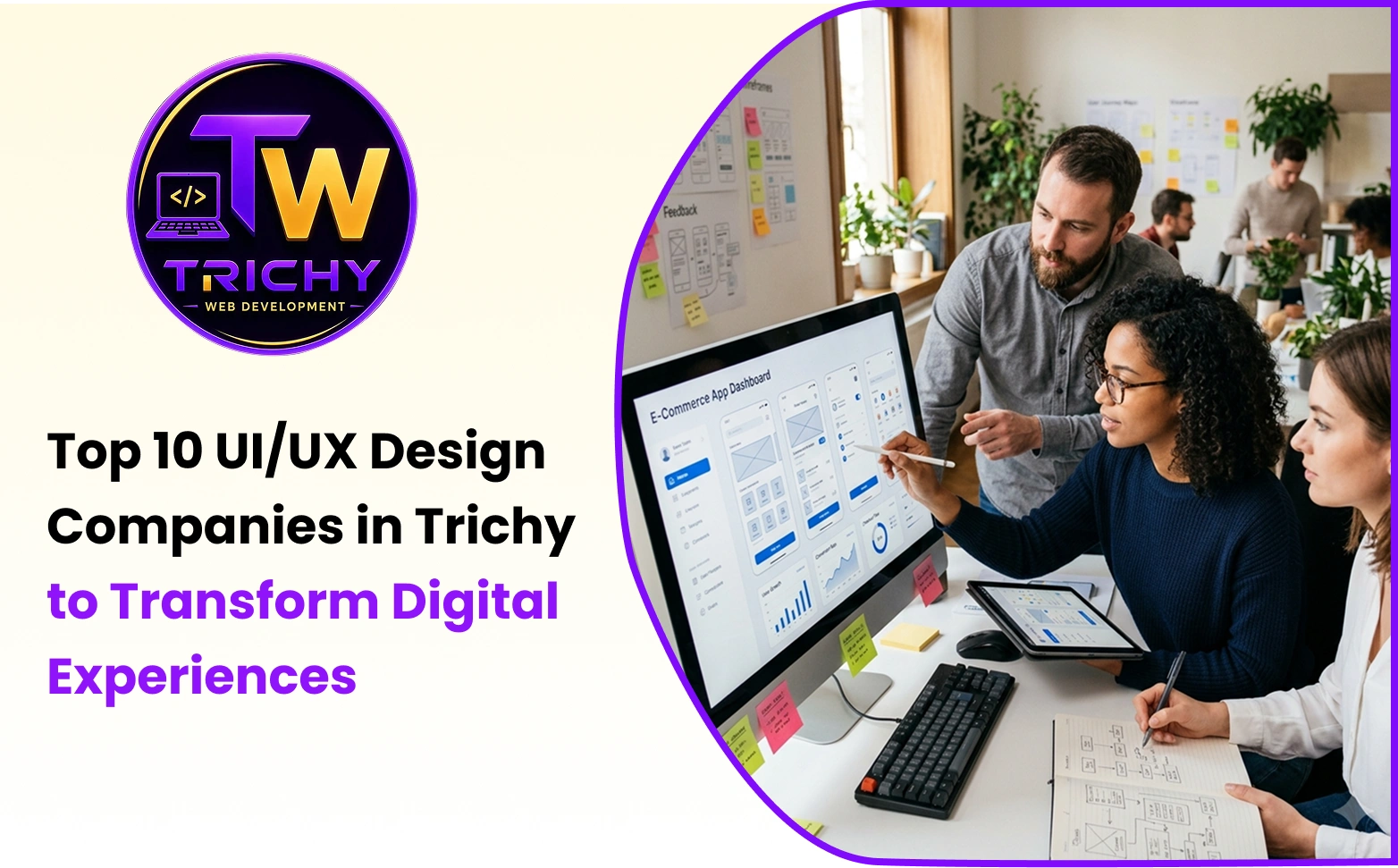
Quick Answer: Which UI/UX Design Companies in Trichy Can Businesses Consider?
Businesses looking for UI/UX design services can consider providers with capabilities across website design, mobile applications, SaaS products, dashboards, prototypes, design systems, usability testing, and development-ready interfaces.
This comparison includes:
-
Trichy Web Development
-
Freshora Digital Technologies
-
mckbytes Technologies
-
Crystree Solutions
-
ZenoraTech
-
TechCMantix Technologies
-
esoft IT Solutions
-
Vebzon Technologies
-
Jayam Web Solutions
-
Media Wave Technologies
This is a comparison-list format, not an independently verified quality ranking. The companies are discussed based on publicly described services and capabilities. Businesses should independently verify current services, portfolios, pricing, availability, and project experience before making a hiring decision.
Introduction
A website can be technically fast, mobile responsive, and visually attractive while still providing a poor user experience.
A visitor may struggle to find a service. A customer may abandon a form because it contains too many fields. A mobile-app user may not understand what to tap next. An employee using a business dashboard may spend unnecessary time searching for information.
These are UI/UX problems.
UI, or User Interface design, focuses on the visual and interactive elements users see and operate. UX, or User Experience design, focuses on how easily users understand, navigate, and complete tasks within a digital product.
For businesses, UI/UX is therefore more than visual design. It can influence website usability, customer journeys, product workflows, mobile-app experiences, conversion paths, and the efficiency of internal software.
Trichy has companies working across website development, software development, mobile applications, digital products, branding, and UI/UX. Some primarily operate as development companies with UI/UX capabilities, while others position design and user experience as dedicated services.
That difference matters when selecting a provider.
How Were These UI/UX Companies Compared?
This guide focuses on publicly documented capabilities, rather than assigning independent quality scores.
The comparison considers areas such as:
-
Website UI/UX design
-
Mobile app UI/UX
-
SaaS and dashboard design
-
Web application design
-
UX research
-
User flows and information architecture
-
Wireframing
-
Prototyping
-
Usability testing
-
Design systems
-
Developer handoff
-
Website/software development connection
The information should be treated as a snapshot of publicly available service information. Businesses should verify current capabilities directly with each provider.
1. Trichy Web Development
Trichy Web Development is positioned as an IT solutions company serving businesses through website development, web applications, software solutions, eCommerce, integrations, and UI/UX design.
Its public service information lists UI/UX Design alongside broader website and technology-development services.
The company currently states that it has 5+ years of experience, 125+ completed web projects, and 12+ technology and development professionals. These figures are company-reported and should be independently verified if they are important to a purchasing decision.
UI/UX Capabilities
The company's published positioning connects UI/UX with broader digital development, including:
-
Business website UI/UX
-
Responsive interfaces
-
eCommerce experiences
-
Web applications
-
Custom software
-
SaaS products
-
Business platforms
-
Customer portals
-
CRM and ERP-related systems
Development Connection
A development-connected UI/UX workflow can follow:
Business Requirement → User Understanding → Information Structure → User Journey → UI Design → Development → Testing → Launch
This approach can be relevant when a business wants the design and technical implementation to be considered together.
Potential Project Fit
It can be considered for businesses requiring UI/UX alongside:
-
Business websites
-
eCommerce websites
-
Custom web applications
-
Customer portals
-
SaaS products
-
CRM and ERP-related platforms
-
Internal business systems
2. Freshora Digital Technologies
Freshora Digital Technologies describes UI/UX services covering user research, usability, visual design, business objectives, mobile-first experiences, prototyping, and conversion-focused design.
Its publicly described capabilities include:
-
Website UI/UX design
-
SaaS product design
-
Dashboard design
-
Web application design
-
Landing-page UX
-
eCommerce experience design
-
Information architecture
-
User-flow mapping
-
Wireframing
-
Interactive prototyping
-
User journey design
-
Accessibility design
-
UX audits
-
Product redesign
-
Usability testing
-
Design systems
Design Process
The published approach follows:
Discovery Consultation → User Research → Information Architecture → Wireframing & Prototyping → Interface Design & Testing → Delivery & Ongoing Support
This type of process can be useful when the requirement involves UX research and product usability rather than only visual redesign.
Potential Project Fit
Freshora can be considered for projects involving:
-
Mobile applications
-
SaaS
-
Dashboards
-
Web applications
-
eCommerce
-
Business platforms
3. mckbytes Technologies
mckbytes Technologies describes a UI/UX design offering focused on human-centered digital-product design.
Its published information covers areas such as:
-
Discovery
-
User research
-
Wireframing
-
Prototyping
-
Visual design
-
Usability testing
-
Developer handoff
-
Website UI/UX
-
Mobile UI/UX
-
SaaS interfaces
-
Dashboards
-
Design systems
-
Website redesign
Design Process
Its published process follows:
Discovery → Define → Design → Test → Implementation/Handoff
This type of workflow can be relevant for businesses that want UX decisions considered before development begins.
Potential Project Fit
The service mix can be relevant for:
-
Business websites
-
Mobile applications
-
SaaS products
-
Web applications
-
Dashboards
-
Design systems
-
Website redesign projects
4. Crystree Solutions
Crystree Solutions provides UI/UX design as part of a broader software and digital-solutions offering.
Its publicly described UI/UX capabilities include:
-
Website interface design
-
Mobile application design
-
Web application UI/UX
-
SaaS product design
-
UX strategy
-
Wireframes
-
Interactive prototypes
-
Dashboard and admin-panel design
-
Product redesign
-
Design-system creation
Development Connection
Its broader technology services include areas such as website development, mobile applications, custom software, ERP, CRM, and eCommerce.
A connected workflow may therefore look like:
Business Requirement → UX Strategy → Wireframe → Prototype → UI Design → Development → Testing → Deployment
This can be relevant when UI/UX needs to work closely with a software-development project.
5. ZenoraTech
ZenoraTech describes UI/UX services for websites, web applications, dashboards, mobile apps, landing pages, and other digital products.
Its publicly listed capabilities include:
-
Website UI design
-
Dashboard design
-
Mobile app design
-
Wireframes
-
User flows
-
Design systems
-
UX reviews
-
Landing-page design
-
Clickable prototypes
-
Developer handoff
Design-to-Development Approach
The company's published information connects design with practical implementation.
This can be useful when a business needs designs that developers can translate into functional interfaces.
For example, an internal dashboard requires more than:
Colors → Cards → Charts → Buttons
UX planning may also consider:
Users → Tasks → Information Priority → Permissions → Actions → Errors → Feedback
That distinction can influence the resulting interface.
6. TechCMantix Technologies
TechCMantix Technologies describes UI/UX services with an emphasis on user-centric interfaces, business objectives, responsive experiences, accessibility, and conversion-oriented design.
Its published service information includes:
-
Strategic design thinking
-
User-centric design
-
User-flow optimization
-
Responsive experiences
-
Accessibility-focused design
-
Conversion optimization
-
User research
-
Prototyping
-
Brand-oriented interface design
Business-Oriented UX
A UI/UX project can begin with a business problem rather than visual styling.
For example:
Problem: Website visitors are not reaching the enquiry page.
A UX review could examine:
Traffic Source → Landing Page → Content Hierarchy → Navigation → CTA → Form Experience → Confirmation
This can help identify whether the issue relates to visual design, information architecture, content, navigation, trust, or conversion friction.
7. esoft IT Solutions
esoft IT Solutions is a technology company offering website development, mobile applications, software development, responsive UI/UX, and related digital services.
Its publicly described services include UI/UX design and prototyping.
Where UI/UX Fits
For businesses requiring design alongside development, the broader service mix can be relevant.
A typical project may involve:
UI/UX Design → Frontend Development → Backend Development → Mobile/Web Integration → Testing → Deployment
Potential project types include:
-
Responsive websites
-
Mobile applications
-
Web applications
-
Custom software
-
eCommerce platforms
-
UI/UX prototypes
-
User-focused digital products
8. Vebzon Technologies
Vebzon Technologies works across websites, mobile applications, custom software, branding, digital marketing, and UI/UX.
Its publicly described UI/UX service focuses on user-first interfaces for websites and applications.
Its mobile-app services also describe UI/UX alongside mobile development technologies.
Potential project areas include:
-
Website development
-
Mobile applications
-
Custom software
-
eCommerce
-
UI/UX
-
Branding
-
Digital marketing
For businesses requiring design and development together, the workflow may involve:
Design → Mobile/Web Development → Testing → Deployment
9. Jayam Web Solutions

Jayam Web Solutions provides website design and development services, with UI/UX included as part of its web-design offering.
Its published information describes custom UI/UX design alongside mobile optimization, responsive design, performance, and SEO-friendly website structure.
Potential project types include:
-
Local business websites
-
Service websites
-
Corporate websites
-
Responsive business websites
-
Website redesign
-
SEO-focused websites
Website UX and SEO
SEO brings visitors to a website, while UX helps those visitors understand and use the page after arriving.
A typical journey may look like:
Google Search → Landing Page → Service Information → Trust Signals → CTA → Enquiry
A search-optimized page can still create friction if the information structure, navigation, mobile experience, or forms are difficult to use.
10. Media Wave Technologies
Media Wave Technologies is associated with web development, software development, mobile applications, eCommerce, and UI/UX design.
Publicly available company information describes UI/UX alongside web, mobile, and custom application services.
Potential project areas include:
-
Website interfaces
-
Mobile applications
-
Software products
-
eCommerce platforms
-
Custom applications
-
Business dashboards
For software-led projects, businesses may want to evaluate not only visual design but also how effectively the design can be translated into a working product.
Comparison Table: UI/UX Design Companies in Trichy
| Company | Website UI/UX | Mobile UI/UX | SaaS / Dashboard | Prototyping | Development Connection |
|---|---|---|---|---|---|
| Trichy Web Development | Yes | Yes / technology ecosystem | Yes | Yes | Yes |
| Freshora Digital Technologies | Yes | Yes | Yes | Yes | Yes |
| mckbytes Technologies | Yes | Yes | Yes | Yes | Yes |
| Crystree Solutions | Yes | Yes | Yes | Yes | Yes |
| ZenoraTech | Yes | Yes | Yes | Yes | Yes |
| TechCMantix Technologies | Yes | Yes | Web/product scope | Yes | Yes |
| esoft IT Solutions | Yes | Yes | Software-oriented | Yes | Yes |
| Vebzon Technologies | Yes | Yes | Yes | Yes | Yes |
| Jayam Web Solutions | Yes | Responsive | Not clearly documented | Not clearly documented | Yes |
| Media Wave Technologies | Yes | Yes | Software-oriented | Not clearly documented | Yes |
Note: This table summarizes publicly described capabilities. It is not an independent quality ranking. Service availability can change, so businesses should confirm current offerings directly with each provider.
UI/UX Design vs Web Design: What Is the Difference?
The terms UI design, UX design, and web design are sometimes used interchangeably, but they describe different areas.
| Area | Main Focus | Typical Deliverables |
|---|---|---|
| UI Design | Visual interface | Buttons, typography, colors, layouts, components |
| UX Design | User experience | User journeys, navigation, research, information architecture |
| Web Design | Website experience | Website layouts, responsive pages, visual structure |
| Product Design | Complete digital product | UX, UI, flows, systems, prototypes |
| UX Research | Understanding users | Interviews, personas, testing, behavioral insights |
| Interaction Design | User interaction | States, transitions, actions, feedback |
| Design Systems | Consistency and scalability | Components, tokens, patterns, documentation |
A business website may primarily require UI and web design, while a SaaS product or business application may require deeper UX research, workflows, interaction design, prototyping, and design-system work.
What Services Should You Expect from a UI/UX Design Company in Trichy?
The exact service mix varies by provider and project, but a complete UI/UX engagement can include:
1. User Research
Understanding who uses the product, what users need, where they struggle, and which tasks they need to complete.
2. User Personas
Personas can represent important user groups and keep design decisions connected to user requirements.
3. Information Architecture
Information architecture determines how pages, features, categories, and content are organized.
4. User Flows
User flows map the steps required to complete an action.
Open Website → Select Service → Check Details → Submit Enquiry → Confirmation
5. Wireframing
Wireframes establish screen structure before detailed visual design.
6. Prototyping
Interactive prototypes allow stakeholders to experience proposed flows before development.
7. Visual UI Design
This includes typography, colors, spacing, imagery, buttons, forms, cards, menus, and other interface elements.
8. Responsive Design
The interface is adapted for different screen sizes and interaction patterns.
9. Usability Testing
Testing helps identify confusing or inefficient parts of the experience before or during implementation.
10. Design Systems
Design systems provide reusable components and rules for maintaining consistency as a product grows.
11. Developer Handoff
Design files, specifications, assets, component states, and interaction details are transferred to developers.
Why Businesses Should Not Choose a UI/UX Company Based Only on Visual Design
A visually impressive design is not automatically a usable design.
Consider a service website where:
-
The main service is difficult to find.
-
The contact button is hidden.
-
The mobile menu is confusing.
-
Important trust information appears too late.
-
The enquiry form asks unnecessary questions.
-
The page hierarchy does not match the user's intent.
The website may look modern while still creating friction.
A stronger evaluation asks:
Can users understand it?
Can users navigate it?
Can users complete the intended task?
Does the design work on mobile?
Can developers implement it accurately?
Can the design scale as new features are added?
Does the experience support the business objective?
How to Choose a UI/UX Design Company in Trichy
There is no single provider that fits every project.
The selection should depend on the type of digital product being built.
For a Business Website
Prioritize:
-
Information architecture
-
Mobile-first design
-
Conversion paths
-
Page hierarchy
-
SEO-friendly structure
-
Responsive layouts
-
Developer implementation
For an eCommerce Website
Look at:
-
Product discovery
-
Search and filtering
-
Product-page structure
-
Cart experience
-
Checkout flow
-
Payment interaction
-
Mobile shopping experience
For a Mobile App
Ask about:
-
Android and iOS design
-
Navigation
-
Onboarding
-
Notification states
-
Empty states
-
Error handling
-
Touch interactions
-
Prototype testing
For SaaS Products
Consider:
-
User roles
-
Dashboard architecture
-
Information density
-
Permissions
-
Tables and filters
-
Data visualization
-
Design systems
-
Reusable components
For Custom Business Software
Prioritize:
-
Workflow mapping
-
Role-based interfaces
-
Admin dashboards
-
Automation flows
-
Form design
-
Error handling
-
Integration requirements
-
Developer collaboration
What Should You Ask Before Hiring a UI/UX Design Agency in Trichy?
Before signing a proposal, ask practical questions.
1. Who Will Actually Design the Product?
Understand whether the work is handled by an in-house designer, dedicated UX team, or another resource.
2. Is UX Research Included?
Clarify whether research, user flows, personas, and information architecture are part of the scope.
3. Are Clickable Prototypes Included?
For complex products, prototypes can help stakeholders review workflows before development.
4. Which Design Tool Will Be Used?
Figma and other design tools can support interface design and collaboration, but the tool itself should not be the primary selection criterion.
5. How Does Developer Handoff Work?
Ask whether developers receive organized files, specifications, assets, responsive behavior, and component states.
6. How Many Revision Rounds Are Included?
Clarify revision limits before the project begins.
7. Is Usability Testing Included?
For larger products, testing can identify problems before they become expensive development changes.
8. Will the Provider Support Development?
This is especially relevant if the same company handles design and development.
UI/UX Design Process for a Typical Business Website
A practical project can follow:
Business Goals
↓
Audience & User Understanding
↓
Content & Information Architecture
↓
User Journey
↓
Wireframes
↓
Interactive Prototype
↓
Visual UI Design
↓
Responsive Design
↓
Usability Review
↓
Developer Handoff
↓
Development
↓
Cross-Browser & Device Testing
↓
Launch
↓
Continuous Improvement
This process helps prevent the common mistake of moving directly from a business idea to a finished visual layout without first understanding the user journey.
UI/UX for Website vs Mobile App vs SaaS
The UX requirements can vary significantly by product.
| Product | Primary UX Consideration |
|---|---|
| Business Website | Understanding, trust, navigation and conversion |
| eCommerce Website | Discovery, comparison, cart and checkout |
| Mobile App | Speed, gestures, navigation and repeated usage |
| SaaS Platform | Workflow efficiency, dashboards and information density |
| CRM | Data management, search, filtering and task completion |
| ERP | Complex workflows, roles and operational efficiency |
| Booking Platform | Availability, selection, confirmation and payment |
| Healthcare Portal | Clarity, accessibility, trust and task simplicity |
| Educational Platform | Learning journeys, progress and content discovery |
A provider experienced in brochure-website design may therefore have a different project fit from a provider experienced in complex SaaS or enterprise applications.
How Much Does UI/UX Design Cost in Trichy?
There is no reliable single price for UI/UX design because project complexity varies considerably.
A simple website redesign may involve a relatively small number of screens.
A mobile application may require dozens of screens, multiple states, and platform-specific interactions.
A SaaS platform may require:
-
Multiple user roles
-
Complex dashboards
-
Tables
-
Filters
-
Forms
-
Notifications
-
Permissions
-
Empty states
-
Error states
-
Responsive behavior
-
Design-system components
A useful way to understand project scope is:
Number of Screens + UX Research + User Flows + Prototype Complexity + UI Design + Design System + Testing + Revision Rounds + Developer Handoff
Businesses should therefore compare scope-based proposals rather than only comparing headline prices.
Common UI/UX Mistakes Businesses Should Avoid
Designing Before Understanding the User
Starting with colors and layouts before understanding the user journey can produce attractive but ineffective experiences.
Treating Mobile as an Afterthought
Desktop layouts cannot simply be squeezed onto mobile screens.
Mobile design requires consideration of touch targets, screen size, content hierarchy, navigation, and interaction patterns.
Overloading the Interface
Adding every feature to the first screen can make the product difficult to understand.
Ignoring Empty and Error States
Interfaces should explain what happens when there is no data, an action fails, or a user makes a mistake.
Skipping Prototypes
For complex applications, identifying navigation problems during prototyping can be more practical than discovering them after development.
Forgetting Accessibility
Readable typography, appropriate contrast, keyboard interaction, clear labels, and understandable feedback can make interfaces more inclusive.
Designing Without Developers
A technically unrealistic design can create implementation delays and unnecessary compromises.
Measuring Only Aesthetics
UI/UX should be evaluated through usability and business objectives as well as appearance.
How UI/UX Can Support SEO and Digital Marketing
UI/UX and SEO are different disciplines, but they can influence different stages of the same customer journey.
Google Search → Landing Page → Content → Navigation → Trust → CTA → Enquiry
SEO helps bring visitors to the page.
UX helps visitors understand and use the page after arriving.
A search-optimized page may still create friction if:
-
The main answer is difficult to find.
-
Page hierarchy is confusing.
-
The website is difficult to use on mobile.
-
Important CTAs are unclear.
-
Forms are unnecessarily complicated.
-
Users cannot easily navigate to related services.
Businesses can therefore consider SEO, content structure, performance, accessibility, and UX together when improving the digital experience.
What Technologies and Tools Matter in UI/UX Projects?
The exact toolset varies by company and project.
Common tools may include:
-
Figma
-
Adobe XD
-
Sketch
-
FigJam
-
Miro
-
Framer
-
Prototyping tools
-
Usability-testing platforms
-
Design-system libraries
However:
The tool is not the design process.
A company using Figma can still produce poor UX if it skips research, user flows, testing, and implementation considerations.
The more important question is whether the provider can turn business requirements into a coherent and usable experience.
Which Type of Trichy UI/UX Company Should You Consider?
Instead of asking only:
“Which is the best UI/UX company?”
define the project first.
If You Need Website UI/UX
Look for:
-
Website architecture
-
Responsive design
-
Conversion paths
-
Content hierarchy
-
Development capability
If You Need Mobile App UI/UX
Look for:
-
Mobile-specific interaction knowledge
-
Onboarding
-
Navigation
-
App states
-
Prototypes
-
Android/iOS experience
If You Need SaaS UI/UX
Look for:
-
Dashboard design
-
Design systems
-
Information architecture
-
Role-based workflows
-
Complex-product experience
If You Need UI/UX + Development
A technology company with both design and development capabilities may simplify communication between design and engineering teams.
If You Need UX Research or Redesign Only
A specialized design provider may be appropriate when an existing development team is already available.
Practical Checklist for Comparing UI/UX Design Companies
Before selecting a provider, compare proposals using the following checklist.
UX Strategy
-
Does the proposal explain the user problem?
-
Are user journeys included?
-
Is information architecture considered?
UI Design
-
Are desktop and mobile layouts included?
-
Are reusable components planned?
-
Is typography and spacing systemized?
Prototyping
-
Is an interactive prototype included?
-
Can stakeholders review the flow before development?
Testing
-
Is usability testing included?
-
Will mobile and desktop behavior be reviewed?
Development
-
Does the provider also develop?
-
If not, can it collaborate with your developer?
Handoff
-
Will the business receive editable source files?
-
Are developer specifications included?
-
Are assets and components organized?
Support
-
Are post-delivery corrections included?
-
Is ongoing UX improvement available?
Final Thoughts
Choosing among UI/UX design companies in Trichy should begin with the type of digital experience you need, rather than visual style alone.
A business website may require strong information architecture, responsive design, and conversion-focused user journeys.
A mobile app may require platform-specific interaction design, onboarding, navigation, and usability testing.
A SaaS product may require dashboards, workflows, permissions, information architecture, and design systems.
A custom business application may require UX to work closely with software architecture and development.
The companies covered in this guide represent different publicly described capabilities across website design, mobile applications, software products, web applications, prototyping, development, and user experience.
Trichy Web Development can be considered when UI/UX needs to connect closely with website, web-application, eCommerce, software, and business-technology development. Its public service information places UI/UX within a broader technology-development workflow.
Ultimately, the most useful selection questions are:
Who are your users?
What problem are you solving?
Which digital product are you building?
How complex is the user journey?
Do you need design only or design plus development?
How will the design be tested and improved?
Once those questions are clear, comparing UI/UX design companies in Trichy becomes more meaningful than choosing based only on visual appearance.
A strong UI/UX project should ultimately:
Make the product easier to understand.
Make important actions easier to complete.
Make the digital experience easier to build, maintain, and improve.
That is what turns UI/UX from a visual deliverable into a practical business asset.