Can WhatsApp Turn E-Commerce Visitors Into Customers?
Getting visitors to an e-commerce website is only the first step. The bigger challenge is helping interested visitors feel confident enough to complete a purchase.
A shopper may leave because they have a question about sizing, delivery, payment options, returns, product compatibility, availability, or checkout. Sometimes they simply get distracted before completing their purchase.
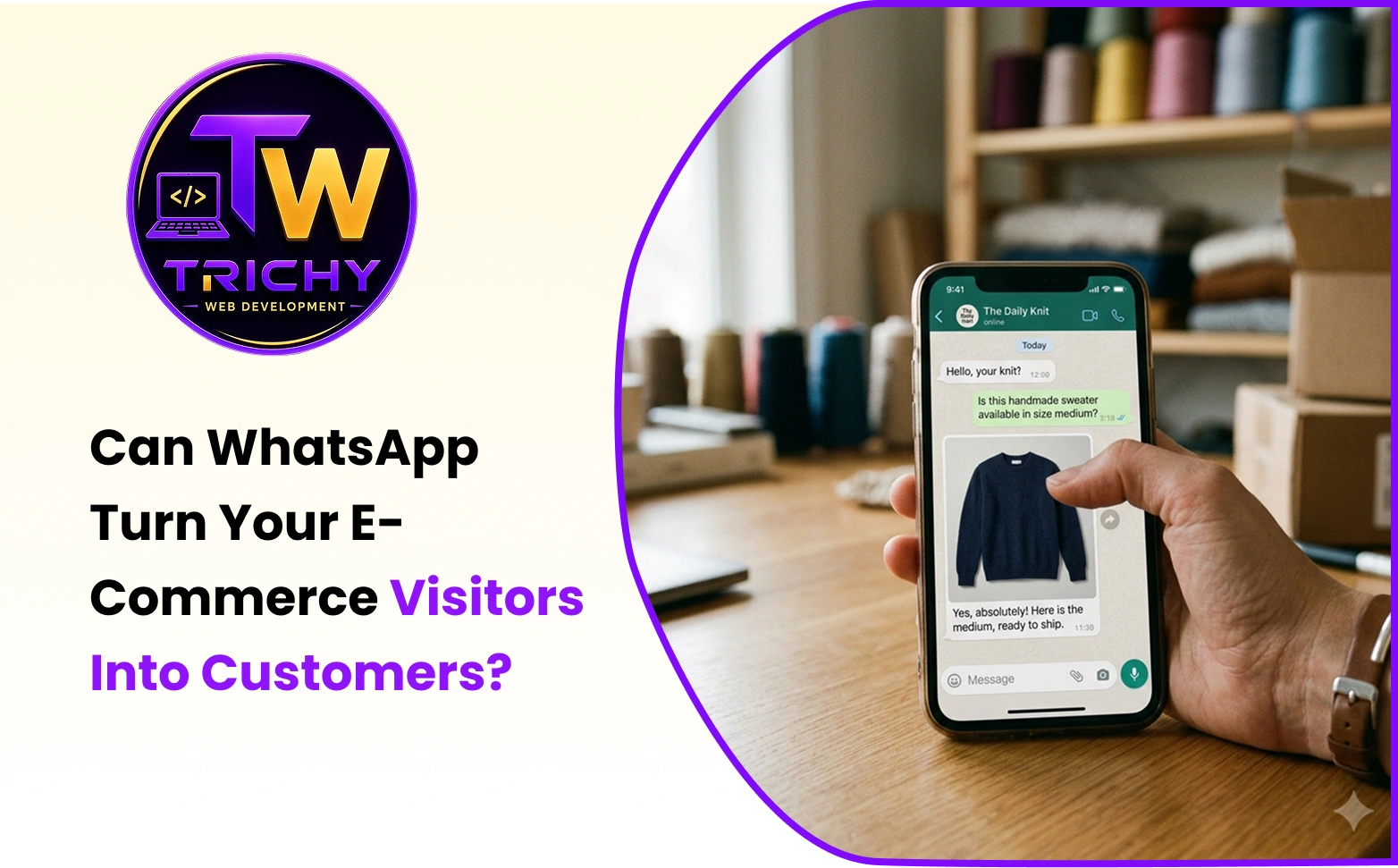
WhatsApp can provide a direct and familiar way for customers to ask questions and receive support at important moments in the buying journey.
When used properly, WhatsApp for e-commerce can support product enquiries, buying decisions, abandoned-cart recovery, order updates, shipping notifications, and customer service.
However, WhatsApp does not automatically create sales. Its real value is helping businesses remove communication barriers that may prevent an interested customer from moving forward.
Quick Answer: Can WhatsApp Help Turn E-Commerce Visitors Into Customers?
Yes, WhatsApp can help support e-commerce conversions by making it easier for customers to ask questions, receive assistance, and stay connected with an online store.
For example, a customer may want to know:
-
Is this product available in my size?
-
Will this product work with my device?
-
How long will delivery take?
-
What payment methods are available?
-
Can I return or exchange the product?
-
Where is my order?
-
Can I get help choosing the right product?
If finding an answer is difficult, the customer may leave the website.
A WhatsApp conversation gives the business another opportunity to provide useful information and help the customer continue their journey.
The goal is not simply to send more messages. The goal is to remove unnecessary barriers between customer interest and purchase.
What Is WhatsApp for E-Commerce?
WhatsApp for e-commerce means using WhatsApp as part of an online store's customer communication, support, sales assistance, and transactional messaging journey.
Depending on the business and technical setup, this may include:
-
Product enquiries
-
Pre-purchase support
-
Customer assistance
-
Buying guidance
-
Abandoned-cart recovery
-
Order confirmations
-
Shipping notifications
-
Delivery updates
-
Post-purchase communication
WhatsApp can be connected to relevant e-commerce workflows rather than being used only as a floating contact button.
For example:
Product Page → Customer Question → WhatsApp Conversation → Purchase
Order Placed → Confirmation Message
Order Shipped → Shipping Update
Order Delivered → Delivery Notification
The most effective approach depends on the customer journey, product type, target audience, and level of support required.
How WhatsApp Can Help E-Commerce Businesses
1. Answer Customer Questions Before They Leave
One unanswered question can sometimes stop a customer from completing a purchase.
A shopper may want information about:
-
Product specifications
-
Size
-
Colour
-
Compatibility
-
Materials
-
Availability
-
Delivery
-
Returns
-
Payment options
Instead of requiring customers to search through multiple pages or submit a lengthy contact form, a WhatsApp option can give them a simpler way to ask.
For example:
"Will this product fit my model?"
A quick and useful answer may help the customer continue with the purchase.
This can be especially valuable for products that require additional explanation, comparison, or reassurance.
2. Support Customer Buying Decisions
Customers do not always need an aggressive sales message. Sometimes they simply need help understanding which product is suitable for them.
For example:
"Which product would be better for a small office?"
A helpful response can make the decision easier.
A practical conversation can follow this process:
Understand the question → Provide useful information → Recommend when appropriate → Make the next step easier
Rather than repeatedly pushing products, businesses should focus on helping customers make informed purchasing decisions.
This makes WhatsApp customer support for e-commerce more useful as part of the overall shopping experience.
3. Reduce Friction During the Customer Journey
A typical customer journey may look like:
Discover Product → Consider Purchase → Have a Question → Cannot Find an Answer → Leave
A better experience could be:
Discover Product → Consider Purchase → Ask Question → Receive Useful Answer → Continue Shopping
WhatsApp can support the communication stage between customer consideration and action.
However, WhatsApp does not replace a good e-commerce website.
Product pages should still provide clear information, checkout should be simple, payment options should be convenient, and delivery and return policies should be easy to understand.
WhatsApp works best when it complements a strong e-commerce experience rather than trying to compensate for a poor one.
4. Provide Product-Specific Assistance
Generic customer support can be less useful than context-based assistance.
For example, instead of simply displaying:
"Chat with us on WhatsApp"
an e-commerce website can provide:
"Have a question about this product? Chat with us on WhatsApp."
The conversation can relate directly to the product the customer is viewing.
This can help customers ask about:
-
Features
-
Product variants
-
Availability
-
Size
-
Compatibility
-
Delivery
-
Warranty
-
Customisation
Relevant communication can make the conversation more useful and reduce unnecessary back-and-forth.
5. Help Customers During Checkout
Customers may leave during checkout because they experience uncertainty or technical difficulties.
They may have questions about:
-
Payment methods
-
Delivery charges
-
Discounts
-
Address requirements
-
Order changes
-
Return policies
-
Payment failures
A WhatsApp support option can give customers another way to request assistance before abandoning the purchase.
The objective is not to move every checkout conversation to WhatsApp. Instead, it should provide support when a customer encounters a genuine barrier.
6. Support Post-Purchase Communication
The customer relationship does not end after payment.
Customers often want updates about their orders and delivery.
WhatsApp can be connected to relevant e-commerce workflows to provide useful transactional communication such as:
-
Order confirmation
-
Order processing updates
-
Shipping notifications
-
Delivery updates
-
Delivery confirmation
-
Customer support
This can create a smoother post-purchase experience and reduce the need for customers to repeatedly contact support for basic order information.
7. Build Ongoing Customer Relationships
Useful communication can continue after the first purchase.
Depending on customer preferences and applicable messaging requirements, businesses may use WhatsApp for relevant post-purchase communication, support, and future customer interactions.
The focus should remain on relevance rather than message volume.
Useful communication builds trust. Unnecessary communication can damage it.
WhatsApp Abandoned Cart Recovery
Customers abandon carts for many reasons.
They may:
-
Get distracted
-
Want to compare products
-
Have a question
-
Experience checkout friction
-
Decide to return later
-
Need more time before purchasing
-
Experience a payment issue
WhatsApp abandoned cart recovery can provide another communication channel for reconnecting with customers who leave before completing checkout.
A follow-up does not always need to include a discount.
Sometimes the customer simply needs help.
For example, a business could provide a reminder and offer assistance if the customer experienced a problem during checkout.
A simple workflow could be:
Product Added to Cart → Checkout Started → Customer Leaves → Appropriate Follow-Up → Assistance → Customer Returns → Purchase
Businesses should ensure that abandoned-cart communication follows applicable messaging requirements and respects customer preferences.
WhatsApp Customer Support for E-Commerce
Customer support can begin before a customer completes a purchase.
Questions such as:
"How long will delivery take?"
"Can I exchange this product?"
"Do you have another colour?"
"Can I pay using UPI?"
may directly influence whether someone decides to buy.
A responsive communication channel can make an online store feel more accessible.
WhatsApp can be particularly useful for businesses selling:
-
Higher-value products
-
Technical products
-
Furniture
-
Fashion
-
Customised products
-
Products with multiple options
-
Products that require additional explanation
The more reassurance a customer needs, the more valuable direct communication may become.
WhatsApp Order Updates for E-Commerce
After placing an order, customers commonly want to know:
-
Has my order been confirmed?
-
Has it been processed?
-
Has it been shipped?
-
Where is my order?
-
When will it arrive?
Depending on the platform and technical integration, WhatsApp can support automated transactional updates.
For example:
Order Placed → Confirmation
Order Processed → Status Update
Order Shipped → Shipping Notification
Order Delivered → Delivery Confirmation
Automated order notifications can improve visibility and reduce repetitive customer enquiries.
However, businesses should distinguish between transactional communication and promotional messaging and manage each appropriately.
How to Integrate WhatsApp With an E-Commerce Website
Adding WhatsApp to an online store can range from a simple contact option to a deeper business integration.
Basic Integration
A website can provide WhatsApp assistance through:
-
WhatsApp chat buttons
-
Product-page enquiry buttons
-
Pre-filled messages
-
Contact sections
-
Customer support links
Advanced E-Commerce Integration
Depending on the platform and requirements, WhatsApp can be connected with:
-
Product catalogues
-
Shopping carts
-
Customer records
-
Order management
-
CRM systems
-
Payment workflows
-
Shipping systems
-
Order tracking
-
Customer support systems
A more connected workflow could look like:
Website → Product → Customer Enquiry → WhatsApp → Customer Support → Purchase → Order Management → Shipping → Delivery
The right level of integration depends on business requirements, technical architecture, platform capabilities, and communication needs.
Examples of WhatsApp in E-Commerce
Fashion Store
Imagine a customer visiting an online clothing store.
They find a dress they like but are unsure about sizing.
They start a WhatsApp conversation and receive information about:
-
Available sizes
-
Size guidance
-
Colour options
-
Delivery
-
Exchange policies
The customer now has the information needed to make a more confident purchasing decision.
After purchase, the same communication channel can support:
Order Confirmation → Shipping Update → Delivery Notification
Furniture Store
Furniture purchases often involve more consideration than simple impulse purchases.
Customers may have questions about:
-
Dimensions
-
Materials
-
Assembly
-
Colour options
-
Customisation
-
Delivery areas
A direct WhatsApp conversation can make it easier for customers to get answers without navigating through multiple support pages.
Consumer Electronics Store
A customer may be comparing two products and ask:
"Which model is better for gaming?"
A knowledgeable response can help the customer understand the differences between products.
In this situation, WhatsApp becomes more than a marketing channel.
It becomes part of the customer decision-making process.
Common Mistakes Businesses Should Avoid
Adding WhatsApp Without a Clear Purpose
A floating WhatsApp button alone is not a strategy.
Businesses should define:
-
Why customers should use WhatsApp
-
Which problems it will solve
-
Where it should appear
-
Who will handle conversations
-
Which communications should be automated
Slow Responses
If a customer needs an answer immediately but receives a response much later, the purchase opportunity may already be gone.
Businesses should establish realistic response processes and clearly communicate expected response times where necessary.
Sending Too Many Promotional Messages
More messages do not necessarily mean more sales.
Unnecessary or repetitive communication can become annoying and may reduce customer trust.
WhatsApp should focus on useful and relevant communication.
Ignoring the Website Experience
WhatsApp should not be used to compensate for poor product pages or a complicated checkout process.
A strong e-commerce website should still provide:
-
Clear product information
-
Easy navigation
-
Secure checkout
-
Convenient payment options
-
Transparent delivery information
-
Clear return policies
Measuring Only Conversations
A high number of WhatsApp conversations does not automatically mean the business is generating more revenue.
Businesses should measure meaningful outcomes such as assisted purchases, recovered carts, customer satisfaction, and order value.
Best Practices for WhatsApp E-Commerce
Make WhatsApp Easy to Find
Place WhatsApp assistance where customers are most likely to need help.
Relevant locations may include:
-
Product pages
-
Cart pages
-
Checkout support areas
-
Order support pages
The placement should support the customer journey rather than interrupt it.
Use Context-Based Messages
Instead of sending generic messages, connect the conversation to the customer's current action.
For example:
"Have a question about this product? Ask us on WhatsApp."
A pre-filled message can make it easier for the customer to start a conversation.
Keep Conversations Useful
Answer the customer's actual question.
Avoid turning every conversation into an aggressive sales pitch.
The objective should be to help the customer make the right decision.
Use Automation Carefully
Automation can be useful for predictable communication such as:
-
Order confirmations
-
Shipping notifications
-
Delivery updates
-
Basic support responses
Human assistance should still be available when customers need detailed product guidance or help with an unusual problem.
Use Customer Context
If a customer is asking about a specific product, the conversation should relate to that product.
Relevant communication is more useful than generic messaging.
Make the Next Step Clear
After answering a customer's question, make it easy for them to continue their journey.
For example, help them return to:
-
The relevant product
-
Their shopping cart
-
Checkout
-
Order tracking
-
Customer support
Respect Customer Preferences
Businesses should communicate responsibly and avoid overwhelming customers with unnecessary messages.
Customer preferences and applicable messaging requirements should be considered when planning WhatsApp communication.
How to Measure Whether WhatsApp Is Helping
Businesses should look beyond the number of messages sent or conversations started.
Useful measurements may include:
Conversation Rate
How many relevant visitors start WhatsApp conversations?
Response Performance
How quickly and effectively are customer enquiries handled?
Assisted Conversions
How many customer conversations contribute to completed purchases?
Recovered Carts
How many customers return and complete checkout after appropriate follow-up?
Order Value
Are WhatsApp-assisted customers generating meaningful order value?
Customer Satisfaction
Are customers finding the communication useful?
Repeat Purchases
Does improved communication contribute to stronger customer relationships?
The exact measurement process will depend on the e-commerce platform, analytics setup, CRM, and integrations being used.
A Practical WhatsApp E-Commerce Strategy
Step 1: Identify Customer Friction
Find out where customers are hesitating.
Review:
-
Common customer questions
-
Product-page enquiries
-
Checkout problems
-
Payment issues
-
Support requests
-
Cart abandonment patterns
The goal is to identify where better communication could help.
Step 2: Choose Relevant WhatsApp Touchpoints
Possible touchpoints include:
-
Product questions
-
Pre-purchase assistance
-
Cart support
-
Checkout assistance
-
Order confirmation
-
Shipping updates
-
Delivery notifications
-
Post-purchase support
Choose touchpoints based on genuine customer needs rather than adding WhatsApp everywhere.
Step 3: Define the Response Process
Decide:
-
Which questions require human support?
-
Which updates can be automated?
-
Who handles conversations?
-
What happens outside business hours?
-
How quickly should customers receive responses?
-
When should a conversation be transferred to another support channel?
A clear process prevents WhatsApp from becoming another unmanaged support inbox.
Step 4: Connect Relevant Systems
Integrate WhatsApp with appropriate e-commerce workflows where technically suitable.
Depending on the business, this may include:
E-Commerce Platform → Customer Data → Order Management → WhatsApp → CRM → Shipping
The integration should support useful customer communication while keeping business data and workflows organised.
Step 5: Test the Customer Journey
Review the complete experience:
Product → Question → WhatsApp → Purchase → Order → Shipping → Delivery
Test the experience from the customer's perspective.
Look for:
-
Broken links
-
Slow responses
-
Confusing messages
-
Unnecessary steps
-
Incorrect product information
-
Checkout friction
-
Missing order updates
Step 6: Measure Business Outcomes
Evaluate whether WhatsApp communication is contributing to meaningful customer and business results.
Review:
-
Conversation rate
-
Response performance
-
Assisted conversions
-
Recovered carts
-
Order value
-
Customer satisfaction
-
Repeat purchases
Then improve the workflow based on actual results.
Practical Checklist
Before adding WhatsApp to an e-commerce website, consider:
-
What customer problem will WhatsApp solve?
-
Can customers easily ask product questions?
-
Is WhatsApp available at relevant moments?
-
Are product-page enquiries easy to start?
-
Is there a realistic response process?
-
Can transactional updates be automated where appropriate?
-
Can customers receive useful order information?
-
Are messages relevant?
-
Are customer preferences being respected?
-
Can conversations be connected to business outcomes?
-
Is the website already providing clear product information?
-
Is checkout simple and reliable?
-
How will success be measured?
Build a Better E-Commerce Customer Journey
WhatsApp should not be treated as an isolated feature added to an online store.
When relevant, it can become part of the wider customer journey alongside:
-
Product catalogues
-
Customer enquiries
-
Shopping carts
-
Checkout
-
Payment gateways
-
Order management
-
Shipping
-
Delivery
-
Customer support
A well-planned WhatsApp e-commerce integration can help connect customer communication with important stages of the buying journey.
E-Commerce Website Development with WhatsApp Integration
Trichy Web Development provides e-commerce website development in Trichy, with features and integrations designed to support modern online-store workflows.
Depending on business requirements, an e-commerce solution can include:
-
Product and category management
-
Shopping cart functionality
-
Secure checkout
-
Payment gateway integration
-
Order management
-
WhatsApp communication
-
SMS notifications
-
Customer support workflows
-
Shipping and delivery integrations
-
Mobile-friendly design
If your business is planning an e-commerce website and wants to explore WhatsApp communication as part of the customer journey, learn more about E-Commerce Website Development in Trichy.
Conclusion
WhatsApp cannot magically turn every website visitor into a customer.
But it can help remove some of the barriers that cause interested shoppers to hesitate or leave.
A customer may need:
-
A product question answered
-
Help choosing between products
-
Reassurance before purchasing
-
Support during checkout
-
Information about their order
-
Assistance after purchase
At these moments, useful communication can make the customer journey easier.
The strongest question is not:
"How many WhatsApp messages can we send?"
Instead, businesses should ask:
"Where does the customer need better information or support?"
When WhatsApp is connected to genuine customer needs and supported by a strong e-commerce website, it can become a useful part of the buying and post-purchase experience.
The goal isn't more messages.
The goal is fewer barriers between interest and purchase.