
Blog Summary
Product filters help online shoppers narrow large product catalogs and reach relevant products faster. Effective filtering depends on clear attributes, logical filter behavior, useful combinations, accurate result counts, mobile-friendly controls, and easy ways to remove selections. Poorly designed filters can hide relevant products, create confusing results, or make customers abandon product discovery.
Quick Answer / Featured-Snippet Answer
The best e-commerce product filtering practices use relevant product attributes, clear labels, logical filter combinations, accurate results, visible selected filters, and easy reset options. Effective filters help shoppers reduce a large catalog into a manageable set of relevant products without creating contradictory selections, confusing navigation, or unnecessary steps.
Introduction
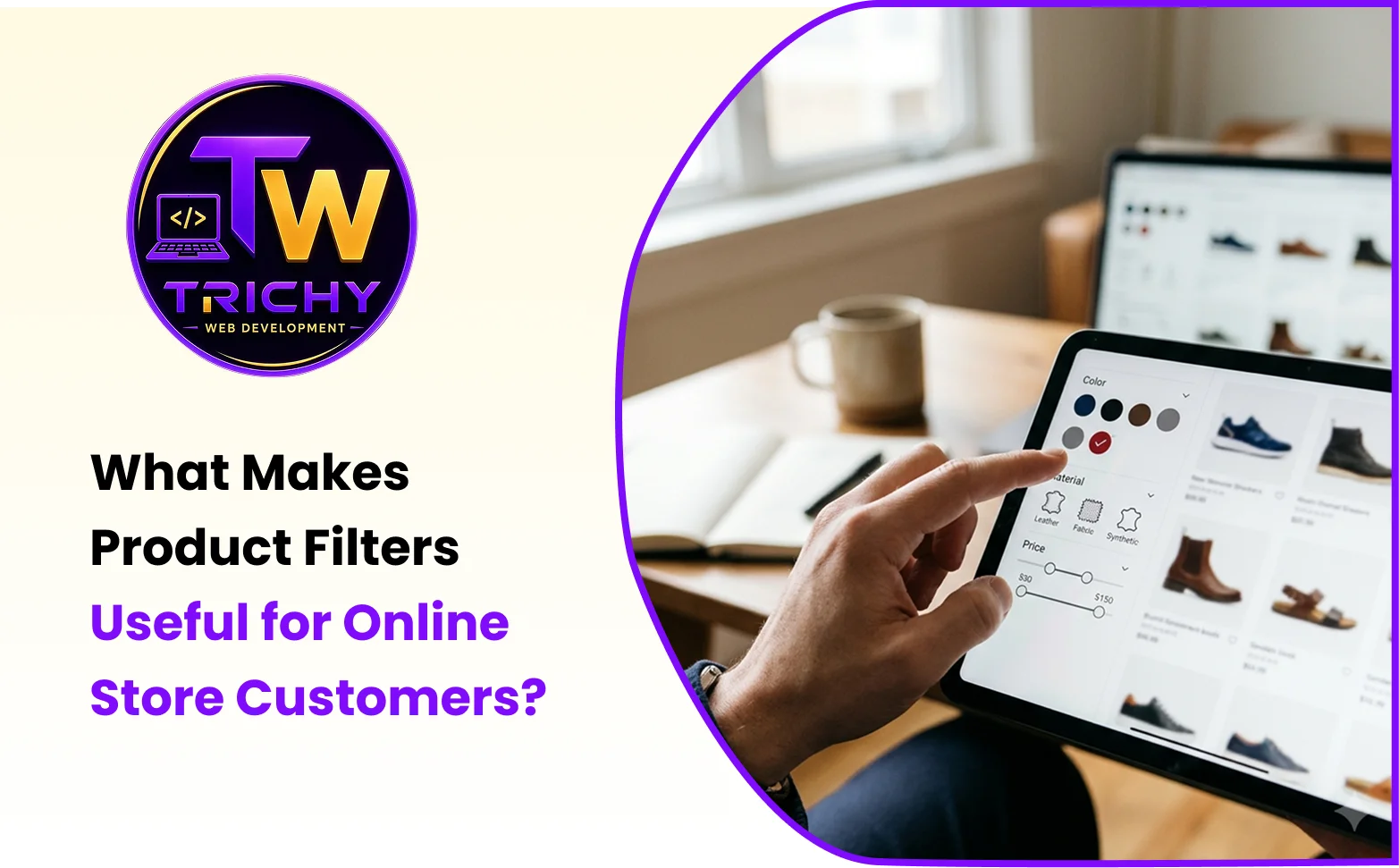
Finding the right product becomes increasingly difficult as an online store's catalog grows. A customer browsing ten products may not need filtering, but a store containing hundreds or thousands of products requires a faster way to narrow choices. Product filters solve this problem by allowing shoppers to refine results according to characteristics such as price, size, brand, color, material, availability, rating, or other product-specific attributes. However, simply adding a large collection of checkboxes does not create a useful filtering experience. Customers need to understand what each filter means, how selections interact, and why certain products appear or disappear after a choice is made. Effective e-commerce product filtering is therefore a combination of interface design, catalog structure, data quality, and backend logic. When these elements work together, customers can reach relevant products with less effort and greater confidence.
What Is E-commerce Product Filtering and Why Does It Matter?
E-commerce product filtering allows customers to reduce a product catalog according to selected criteria.
For example, a customer shopping for shoes might select:
-
Size: 9
-
Color: Black
-
Price: ₹2,000–₹4,000
-
Brand: Selected brands
-
Availability: In stock
Instead of browsing every shoe in the store, the customer receives a smaller set of relevant products.
The objective is simple:
More products → Better filtering → Fewer irrelevant results → Faster product discovery
A useful filtering system does not merely reduce the number of products. It helps customers reduce the catalog without accidentally eliminating products they may actually want.
Why Product Filter Usability Matters
Product filter usability determines how easily customers can understand and operate the filtering system.
A filter may technically work correctly but still provide a poor experience.
For example, a filter with unclear labels such as:
Type A
Type B
Type C
forces customers to guess what each option means.
A better interface might use:
Material
- Cotton
- Linen
- Polyester
The second version communicates the available choices immediately.
Good filter usability generally depends on:
-
Clear labels.
-
Logical grouping.
-
Understandable terminology.
-
Appropriate control types.
-
Visible selections.
-
Easy removal of filters.
-
Fast and predictable results.
The customer should not have to learn how the website's filtering system works before using it.
Understanding Faceted Product Navigation
Faceted product navigation allows shoppers to refine products using multiple attributes simultaneously.
For example, an online fashion store could offer:
Category
Brand
Size
Color
Material
Price
Availability
A customer can combine several facets to create a more specific product set.
This is particularly valuable for large catalogs because customers often think about products using multiple characteristics.
Someone shopping for a laptop may care about:
Brand + RAM + Storage + Price + Screen Size
Someone buying furniture may care about:
Material + Color + Width + Price + Availability
The appropriate facets should therefore reflect how customers actually compare products in that category.
Product Attribute Filtering
Product attribute filtering works only when product information is structured consistently.
Consider a clothing store where one product uses:
Color = Navy Blue
while another uses:
Color = Dark Navy
and another uses:
Colour = Blue Navy
A filter may treat these as separate values even though shoppers may consider them similar.
This makes catalog data quality extremely important.
Common product attributes include:
-
Brand.
-
Category.
-
Color.
-
Size.
-
Material.
-
Price.
-
Weight.
-
Dimensions.
-
Rating.
-
Availability.
-
Product type.
-
Technical specifications.
Businesses should define attribute values consistently before building complex filtering logic.
How Online Store Filter Logic Works
Online store filter logic determines what happens when customers select one or more options.
Suppose a customer selects:
Brand: Brand A
Color: Black
The store needs to determine which products satisfy those conditions.
If the logic requires products to satisfy both conditions, the result is effectively:
Brand A AND Black
If a customer selects multiple brands:
Brand A
Brand B
the store may reasonably return products matching:
Brand A OR Brand B
This distinction is important.
Poor filter logic can produce either too many results or none at all.
AND Logic
AND logic narrows results by requiring multiple conditions to be satisfied.
Brand A AND Black AND Size 9
OR Logic
OR logic broadens results by allowing multiple values within an attribute.
Brand A OR Brand B OR Brand C
A well-designed store should apply these rules consistently and present them in a way customers can understand.
When Filters Should Be Combined
Not every possible combination needs to be exposed as a complicated interface.
The most useful filters are usually those that correspond to genuine shopping decisions.
For example, a customer searching for a refrigerator may care about:
-
Capacity.
-
Brand.
-
Energy rating.
-
Price.
-
Door configuration.
Adding obscure technical attributes that customers rarely use may make the interface harder to understand.
The filtering system should therefore prioritize attributes according to customer needs rather than database availability alone.
Filter Selection Errors
Product filter selection errors occur when customers misunderstand available options or when the filtering system behaves differently from what they expect.
Examples include:
-
Selecting a size and receiving products without that size.
-
Selecting a price range that excludes products at the boundary unexpectedly.
-
Choosing multiple options and receiving no explanation for an empty result.
-
Selecting a filter and losing previously chosen filters.
-
Seeing a selected filter disappear after page navigation.
-
Using a reset option that behaves unpredictably.
These issues can make customers believe the store does not have suitable products when the real problem is the filtering experience.
Empty Results and Dead Ends
An empty result page is not always bad.
Sometimes a combination genuinely produces no matching products.
The problem occurs when the website gives customers no useful way forward.
Instead of simply showing:
No products found
the store can explain the situation and offer alternatives.
For example:
No products match all selected filters. Try removing one filter or expanding your price range.
The interface can also provide a visible option to clear selected filters.
This turns a dead end into a recovery path.
A FILTER Framework for Better Product Filtering
Businesses can evaluate their filtering system using the FILTER framework:
F — Focus on Relevant Attributes
Prioritize characteristics that customers actually use when comparing products.
I — Identify Clear Labels
Use familiar and descriptive names for categories, attributes, and values.
L — Link Filter Logic
Make sure multiple selections behave consistently using understandable AND and OR relationships.
T — Track Active Selections
Show customers which filters are currently applied so they can modify their search easily.
E — Explain Empty Results
Give customers useful recovery options when a combination returns no products.
R — Reset Easily
Provide a clear way to remove individual selections or reset the complete filter state.
This framework combines catalog structure with interface behavior so that filtering remains useful as the product range grows.
Showing Selected Filters Clearly
Customers should always be able to see which filters are currently active.
For example:
Active Filters:
Black ×
Size 9 ×
₹2,000–₹4,000 ×
This gives the customer immediate control over the search.
They can remove one filter without starting again.
A Clear All option is also useful when the shopper wants to return to the full product list.
Without visible active selections, customers may become confused about why certain products are missing.
Filter Placement on Desktop and Mobile
The filtering interface should adapt to the device.
On desktop, filters may appear in a sidebar beside the product grid.
On mobile, a filter button can open a dedicated filter panel or drawer.
The important point is that customers should be able to:
-
Find the filter controls easily.
-
Understand which filters are active.
-
Apply selections without unnecessary navigation.
-
Return to product results quickly.
-
Clear unwanted filters.
A desktop sidebar should not simply be squeezed into a narrow mobile column.
Price Filters and Range Selection
Price is one of the most commonly used e-commerce filters, but it requires careful design.
Businesses can use:
-
Predefined price ranges.
-
Minimum and maximum fields.
-
Sliders.
-
Category-specific ranges.
The selected range should be clearly communicated.
For example:
₹1,500 – ₹3,500
is easier to understand than an unclear slider with no visible values.
The system should also define how boundary values are handled so that products are not unexpectedly excluded.
Search and Filters Should Work Together
Product search and filtering serve different purposes but can complement each other.
A shopper might search for:
running shoes
and then filter by:
Size → 9
Color → Black
Price → ₹2,000–₹4,000
This creates a combined discovery process.
The store should maintain the search context while applying filters unless the customer intentionally removes it.
A useful search-and-filter experience allows customers to move from broad intent to specific selection without repeatedly starting over.
Product Filters and Catalog Data Quality
Filtering cannot be better than the data behind it.
If product attributes are incomplete, inconsistent, or incorrectly assigned, customers may receive inaccurate results.
For example, if a product is missing its size attribute, a shopper filtering for that size may never see the product even though the item is actually available.
Businesses should therefore establish consistent rules for:
-
Attribute naming.
-
Attribute values.
-
Product categorization.
-
Variant information.
-
Availability.
-
Price ranges.
-
Brand names.
-
Measurement units.
Catalog management is a critical part of filtering performance.
Common Product Filtering Mistakes
One common mistake is offering too many filters simply because the database contains many attributes.
Another is using technical terminology that customers do not understand.
Poor filter logic can also create confusing combinations.
Businesses sometimes hide selected filters, forcing customers to remember which options they chose.
Another problem is failing to provide a clear recovery path when no products match.
A further mistake is treating mobile filtering as an afterthought.
Finally, filter performance can suffer when complex filtering queries are not designed efficiently for large product catalogs.
Best Practices for E-Commerce Product Filtering
Start by identifying the product characteristics customers actually use when making purchasing decisions.
Group related attributes logically.
Use simple and recognizable labels.
Separate attributes where shoppers expect different types of choices.
Make selected filters visible.
Allow individual filters to be removed without resetting everything.
Provide a clear Clear All option.
Keep filtering usable on smartphones.
Show meaningful result counts where practical.
Handle empty results with useful recovery suggestions.
Keep product attributes consistent across the catalog.
Measure how customers use filters and refine the experience based on actual behavior.
How to Measure Product Filter Performance
Businesses can evaluate filtering effectiveness using behavioral metrics such as:
-
Percentage of visitors who use filters.
-
Most frequently selected attributes.
-
Average number of filters per session.
-
Filter-to-product-view rate.
-
Product filter conversion rate.
-
Empty-result frequency.
-
Filter reset frequency.
-
Mobile versus desktop filter usage.
-
Search-to-filter behavior.
-
Exit rate after applying filters.
For example, if many customers select a particular filter and then immediately leave, the business should investigate whether the results are relevant and whether the filter is behaving as expected.
Analytics can therefore reveal not only which filters are popular but also which ones may be creating friction.
E-Commerce Product Filtering Checklist
Before launching a product filtering system, review whether:
-
Filters represent meaningful customer attributes.
-
Attribute names are clear and consistent.
-
Filter values are correctly assigned to products.
-
AND and OR logic behave predictably.
-
Selected filters remain visible.
-
Individual selections can be removed.
-
Customers can clear all filters easily.
-
Empty results provide useful recovery options.
-
Price filtering behaves correctly.
-
Filters work properly with product search.
-
Mobile filter controls are easy to use.
-
Filter results load efficiently.
-
Product variants are handled correctly.
-
Filtering behavior is tested with realistic catalog data.
How E-Commerce Website Development Supports Better Product Filtering
Product filtering depends on both frontend usability and backend catalog architecture.
A well-developed e-commerce website can connect product attributes, category structures, database queries, filter logic, product variants, search functionality, and responsive interface components into one consistent shopping experience.
For businesses building larger online stores, Trichy Web Development can support e-commerce website development with product catalog structures, filtering functionality, responsive interfaces, and other features needed for effective online shopping.
Conclusion
Product filters are valuable because they help online shoppers transform a large product catalog into a smaller set of relevant choices. However, their usefulness depends on more than simply adding filter controls to a store. Clear attributes, accurate product data, understandable labels, predictable AND and OR logic, visible selections, responsive mobile controls, and helpful empty-result handling all contribute to a better filtering experience. Businesses should design filters around the way customers actually compare products rather than around every piece of information stored in the database. When thoughtful filter usability is combined with strong catalog architecture and efficient e-commerce development, customers can discover suitable products faster and navigate large online stores with less frustration.