Blog Summary
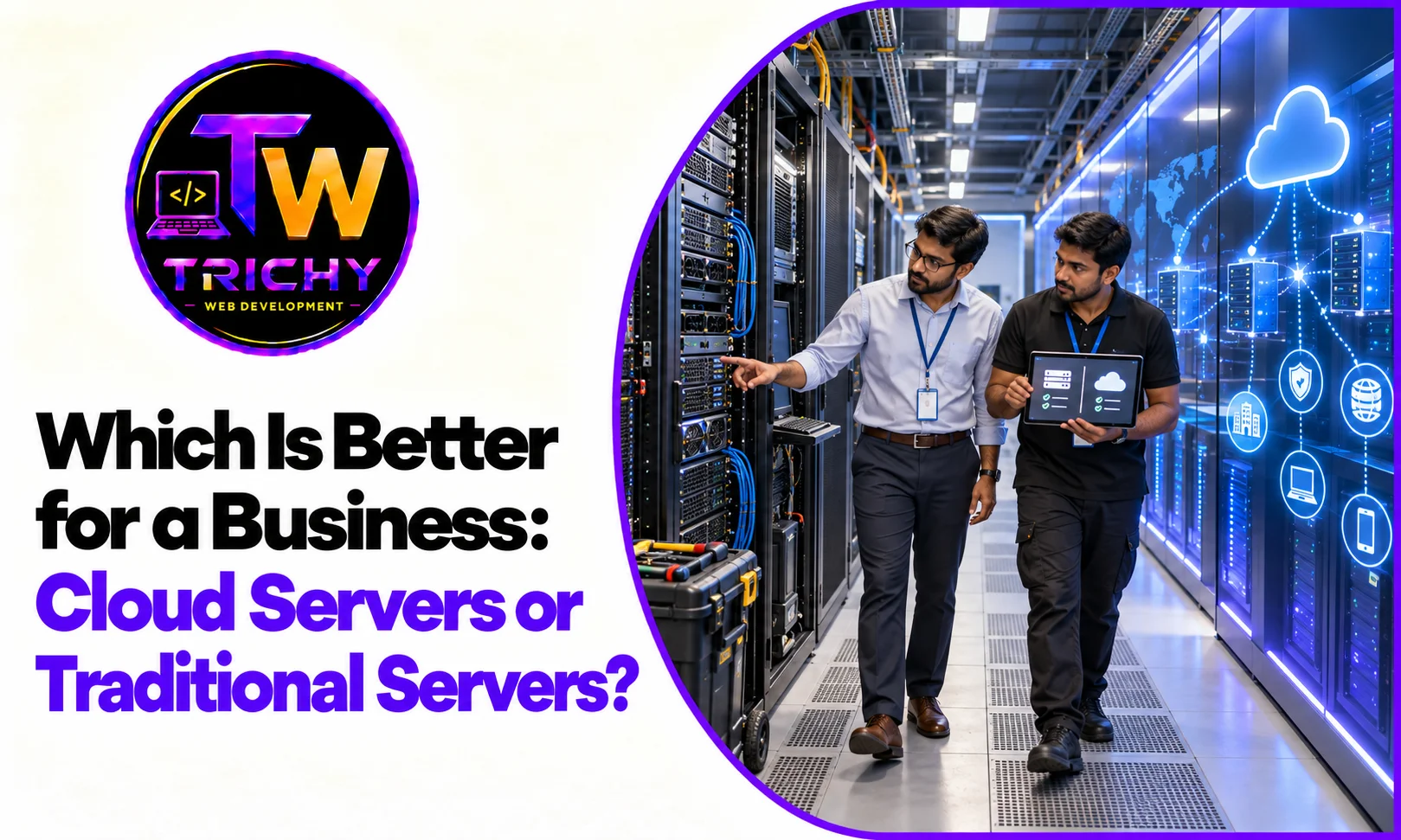
The choice between cloud servers and traditional servers depends on a business's workload, budget, scalability requirements, security expectations, technical capabilities, and long-term infrastructure plans. Cloud servers generally provide flexible resource allocation and easier scaling, while traditional physical servers can provide direct hardware control and predictable infrastructure configurations.
A useful cloud server comparison should therefore look beyond purchase price and consider total cost, performance, availability, maintenance, security, resource utilization, and future business requirements.
Quick Answer: Cloud Servers or Traditional Servers?
Neither cloud servers nor traditional servers are automatically suitable for every business. Cloud servers can be useful for businesses that need flexible capacity, rapid deployment, remote accessibility, and scalable infrastructure. Traditional physical servers can be suitable when an organization needs dedicated hardware, direct infrastructure control, predictable workloads, or specific hardware configurations.
The appropriate choice depends on the organization's applications, data, workload patterns, security requirements, budget, technical expertise, and growth plans.
Introduction
Businesses increasingly depend on servers to run websites, applications, databases, ERP systems, file storage, internal platforms, and other digital services.
Traditionally, many organizations purchased and maintained physical servers within their own offices or dedicated data-center environments. Cloud computing introduced another model in which businesses can provision computing resources through cloud platforms without owning the underlying physical hardware.
This creates an important infrastructure question:
Should a business use cloud servers or traditional physical servers?
The answer is not simply about which technology is newer. Both models have different characteristics, costs, management requirements, and use cases.
A proper business server infrastructure comparison should consider how each option fits the organization's actual workload and operational requirements.
What Are Cloud Servers?
A cloud server is a virtualized computing environment delivered through cloud infrastructure.
Instead of purchasing a physical server and managing its hardware directly, a business can provision computing resources through a cloud provider.
Depending on the platform, businesses can select resources such as:
-
CPU capacity.
-
Memory.
-
Storage.
-
Operating systems.
-
Networking.
-
Databases.
-
Backup services.
-
Security services.
-
Monitoring tools.
Cloud environments can also provide options for increasing or decreasing resources as requirements change.
For example, a business running an application that experiences seasonal traffic may be able to provision additional resources during periods of high demand and reduce capacity afterward.
What Is Traditional Server Infrastructure?
Traditional server infrastructure generally refers to physical servers owned or directly controlled by an organization.
The business typically purchases or leases physical hardware and manages components such as:
-
Servers.
-
Storage.
-
Networking.
-
Operating systems.
-
Hardware maintenance.
-
Backup systems.
-
Physical security.
-
Power and cooling.
-
Hardware replacement.
These servers may be installed in an organization's premises or in a dedicated data-center facility.
Traditional infrastructure can provide direct control over hardware and the surrounding environment, but that control also comes with additional responsibilities.
Cloud Servers vs Traditional Servers: Core Differences
The following comparison provides a high-level view of the two approaches.
|
Factor |
Cloud Servers |
Traditional Servers |
|
Hardware ownership |
Usually provided by cloud provider |
Typically owned or directly leased |
|
Initial investment |
Usually lower upfront infrastructure investment |
Often higher hardware investment |
|
Scalability |
Resources can generally be adjusted more easily |
Expansion may require additional hardware |
|
Deployment |
Usually faster |
Hardware procurement and setup may take longer |
|
Hardware control |
Limited compared with dedicated physical infrastructure |
Direct hardware control |
|
Maintenance |
Provider manages underlying infrastructure |
Organization manages physical hardware |
|
Resource flexibility |
Generally high |
Usually tied to installed hardware |
|
Physical access |
Usually unavailable |
Direct access may be possible |
|
Upgrade process |
Often software or service based |
May require hardware upgrades |
|
Disaster recovery |
Can be designed across cloud resources |
Requires separate recovery infrastructure |
|
Cost model |
Typically usage or service based |
Hardware plus maintenance and operational costs |
|
Management |
Can range from self-managed to managed services |
Usually requires internal or contracted management |
These are general characteristics. Actual capabilities and costs depend on the provider, infrastructure design, service model, and organization.
Cloud Server Comparison: The Main Factors Businesses Should Evaluate
1. Initial Investment
One of the major differences between the two approaches is how infrastructure is acquired.
With traditional infrastructure, a business may need to purchase servers, storage, networking equipment, backup systems, racks, and other supporting equipment.
Cloud infrastructure generally reduces the need for that initial hardware investment because the underlying physical infrastructure is provided by the cloud provider.
However, businesses should not assume that cloud infrastructure is automatically cheaper.
Cloud costs can accumulate through computing, storage, databases, network usage, backups, monitoring, and additional services.
The right comparison is therefore based on total cost of ownership, not only the initial purchase price.
2. Scalability
Scalability is one of the commonly discussed cloud server advantages.
Cloud infrastructure can provide mechanisms for increasing computing resources as application requirements change.
For example, an online store may experience significantly higher traffic during a promotional campaign. A suitable cloud architecture can be designed to handle these changes more flexibly than infrastructure that is permanently limited by a fixed physical server configuration.
Traditional servers can also be scaled, but expansion generally involves purchasing, installing, and configuring additional hardware.
For businesses with predictable workloads, this may not be a major disadvantage.
3. Performance
Performance depends more on architecture and workload than on whether a server is cloud-based or physical.
Important factors include:
-
CPU performance.
-
Memory.
-
Storage technology.
-
Database configuration.
-
Network latency.
-
Application architecture.
-
Caching.
-
Traffic levels.
-
Resource contention.
A properly configured physical server can deliver excellent performance.
Similarly, a poorly designed cloud environment can perform badly despite having significant resources.
Performance testing should therefore be part of the infrastructure decision.
4. Control Over Hardware
This is an important distinction in physical servers vs cloud servers.
With a physical server, the organization may have direct control over:
-
Hardware components.
-
Storage configuration.
-
Network interfaces.
-
Operating system environment.
-
Physical location.
-
Hardware upgrades.
Cloud infrastructure provides access to computing resources without giving the customer the same level of physical hardware control.
For businesses with specialized hardware requirements, dedicated physical infrastructure may therefore be relevant.
5. Maintenance
Traditional server infrastructure requires ongoing hardware management.
Businesses may need to handle:
-
Hardware failures.
-
Component replacement.
-
Server upgrades.
-
Physical maintenance.
-
Power requirements.
-
Cooling.
-
Physical security.
-
Warranty management.
Cloud providers manage the underlying physical infrastructure, although customers remain responsible for the portions of the environment included in their service model.
This can reduce the amount of physical infrastructure management required by a business.
6. Availability
Availability depends heavily on infrastructure design.
A single physical server can represent a significant point of failure if there is no redundancy.
Cloud environments can be designed using multiple resources, availability zones, load balancing, backups, and other mechanisms to improve resilience.
However, simply running an application in the cloud does not automatically guarantee high availability.
Businesses need to design redundancy and recovery according to their actual requirements.
Traditional environments can also provide high availability through clustered servers, redundant storage, backup systems, and separate recovery infrastructure.
7. Security
Security exists in both cloud and traditional environments.
With physical infrastructure, organizations have significant responsibility for:
-
Physical security.
-
Operating system security.
-
Network security.
-
Access control.
-
Patching.
-
Monitoring.
-
Backup protection.
Cloud environments can provide security capabilities such as identity management, encryption, network controls, logging, monitoring, and managed security services.
However, cloud customers still have responsibilities depending on the service being used.
Businesses should evaluate security based on the specific architecture rather than assuming either cloud or physical infrastructure is inherently secure.
8. Disaster Recovery
Disaster recovery is an important part of infrastructure planning.
A traditional server located in one physical facility can be affected by events such as equipment failure, power problems, physical damage, or connectivity issues.
Businesses using physical infrastructure may therefore need separate backup locations or recovery infrastructure.
Cloud environments can make geographically separated backups and recovery architectures more accessible, although they still need to be designed, tested, and monitored.
The important question is not simply where the server is located, but how the business will recover if the primary environment becomes unavailable.
9. Resource Utilization
Traditional servers are generally purchased based on expected requirements.
This can create situations where hardware remains underutilized during normal periods but must still be maintained because additional capacity may be needed in the future.
Cloud infrastructure can allow businesses to provision resources more dynamically.
For example, an application may require additional computing capacity only during specific periods.
This flexibility can be useful for workloads with variable demand.
10. Deployment Speed
Traditional infrastructure can require several steps before an application is ready:
-
Select hardware.
-
Purchase or lease equipment.
-
Install the hardware.
-
Configure networking.
-
Install the operating system.
-
Configure storage and security.
-
Deploy the application.
Cloud infrastructure can often reduce the time required to provision computing resources because infrastructure can be created through cloud management platforms and automation.
This can be particularly useful for businesses that need to launch applications quickly or create temporary environments for testing.
11. Long-Term Costs
Cost comparison is more complicated than comparing a monthly cloud bill with the price of a physical server.
For traditional infrastructure, businesses may need to consider:
-
Hardware purchase.
-
Hardware replacement.
-
Maintenance.
-
Electricity.
-
Cooling.
-
Data-center or facility costs.
-
Backup infrastructure.
-
Networking equipment.
-
IT administration.
-
Hardware warranties.
For cloud infrastructure, businesses may need to consider:
-
Compute resources.
-
Storage.
-
Database services.
-
Network traffic.
-
Backup.
-
Monitoring.
-
Security services.
-
Support.
-
Management.
-
Data transfer.
A business should model costs over an appropriate period based on its actual workload.
Which Businesses May Consider Cloud Servers?
Cloud infrastructure may be relevant for businesses that:
-
Experience changing application demand.
-
Need to launch applications quickly.
-
Operate distributed or remote teams.
-
Need flexible infrastructure capacity.
-
Run customer-facing web applications.
-
Expect rapid digital growth.
-
Need flexible development and testing environments.
-
Want to reduce physical infrastructure management.
For example, a growing e-commerce business may benefit from infrastructure that can accommodate changes in traffic without requiring the business to purchase additional physical servers every time demand increases.
Which Businesses May Consider Traditional Servers?
Traditional infrastructure may remain relevant when businesses:
-
Require dedicated hardware.
-
Have highly predictable workloads.
-
Need direct physical infrastructure control.
-
Have specialized hardware requirements.
-
Already operate mature data-center infrastructure.
-
Have internal teams capable of managing physical servers.
-
Have requirements that make certain cloud architectures unsuitable.
A business with stable workloads and existing infrastructure may determine that continuing with physical servers is appropriate for specific systems.
Hybrid Infrastructure: Another Option
The choice does not always have to be cloud versus physical infrastructure.
A hybrid approach combines cloud and traditional infrastructure.
For example, a business could maintain certain systems on physical servers while using cloud resources for:
-
Website hosting.
-
Application environments.
-
Backup.
-
Disaster recovery.
-
Development and testing.
-
Analytics.
-
Customer-facing applications.
This approach can be useful when different workloads have different infrastructure requirements.
However, hybrid infrastructure also introduces additional management and integration considerations.
A Practical Framework for Comparing Server Infrastructure
A useful way to evaluate cloud servers vs traditional servers is the C-A-P-A-C-I-T-Y framework.
C — Current Workload
Understand what applications, databases, users, and workloads the infrastructure needs to support today.
A — Availability
Determine how much downtime the business can tolerate and what recovery capabilities are required.
P — Performance
Define CPU, memory, storage, database, and network performance requirements.
A — Adaptability
Consider how easily infrastructure needs to change when users, traffic, applications, or business requirements grow.
C — Control
Determine how much direct control the organization needs over hardware, software, networking, and infrastructure configuration.
I — Investment
Compare initial infrastructure investment with ongoing operating and maintenance costs.
T — Technical Capability
Assess whether the business has the people and expertise required to manage the chosen infrastructure.
Y — Years Ahead
Consider how the infrastructure should support the organization's expected requirements over the coming years.
This framework helps businesses compare infrastructure based on actual requirements rather than technology trends.
Example: A Growing E-Commerce Business
Imagine a business operating an online store.
Its requirements include:
-
Product catalog.
-
Customer accounts.
-
Payment integration.
-
Inventory management.
-
Order processing.
-
Database storage.
-
Marketing campaigns.
-
Variable website traffic.
If traffic increases significantly during promotional periods, the business may value infrastructure flexibility.
A cloud architecture could provide mechanisms for adjusting resources around demand.
However, the business would still need to evaluate database performance, application architecture, security, monitoring, and costs.
The decision should therefore be based on the complete workload rather than simply assuming that cloud infrastructure is the appropriate answer.
Example: A Business With a Stable Internal Application
Consider a company running an internal application with a predictable number of users.
The business already owns physical servers, has an appropriate facility, maintains backup systems, and has technical staff experienced with its infrastructure.
In this situation, continuing with physical infrastructure may be considered alongside the cost and complexity of migration.
The organization could also evaluate a hybrid approach if selected workloads would benefit from cloud capabilities.
Common Mistakes in Business Server Infrastructure Comparison
Comparing Only Purchase Price
A physical server may have a large initial cost, while cloud infrastructure may appear cheaper because costs are distributed over time.
Neither comparison is complete without considering ongoing operating costs.
Assuming Cloud Means Unlimited Performance
Cloud resources can scale, but applications still have architectural, database, network, and configuration limitations.
Ignoring Management Costs
The infrastructure itself is only one part of the total cost.
Staff time, monitoring, maintenance, security, backup, and support can influence the overall cost significantly.
Choosing Based on Technology Trends
Infrastructure should be selected based on workload and business requirements rather than simply choosing the newer model.
Forgetting Data and Recovery Requirements
The infrastructure decision should include data protection, backup, recovery, and business continuity requirements.
Overlooking Existing Infrastructure
A business that already has well-utilized physical infrastructure should compare migration costs and expected benefits rather than assuming that migration is automatically necessary.
Cloud Servers vs Traditional Servers: Decision Questions
Before making a decision, businesses can ask:
-
How predictable is our workload?
-
How quickly might our resource requirements grow?
-
Do we need direct control over physical hardware?
-
How important is rapid infrastructure deployment?
-
What level of availability is required?
-
What are our security and data requirements?
-
What technical expertise do we have internally?
-
What are our current infrastructure costs?
-
What would migration or replacement cost?
-
Do we need a hybrid environment?
-
How important is infrastructure flexibility?
-
What will our application requirements look like as the business grows?
The answers can help establish which infrastructure characteristics matter most.
Cloud Servers vs Traditional Servers for Businesses in Trichy
Businesses in Trichy can have very different server requirements depending on their industry and digital operations.
A small professional services company may need infrastructure primarily for websites, internal applications, documents, and business software.
A manufacturer may require ERP systems, inventory applications, production-related systems, databases, and internal networks.
An e-commerce company may prioritize application scalability, database performance, payment integrations, backups, and traffic management.
A growing software business may need flexible environments for application development, testing, deployment, and customer-facing platforms.
For businesses evaluating local technology support, Trichy Web Development can be part of discussions around web applications, website infrastructure, integrations, and digital platforms. The infrastructure decision should still be based on the workload, security requirements, scalability needs, technical capabilities, and total cost of the specific project.
Conclusion
The comparison between cloud servers and traditional servers is not simply a choice between old and new technology.
Cloud servers can provide flexible resource allocation, rapid provisioning, scalability, and reduced responsibility for physical infrastructure. Traditional servers can provide direct hardware control, dedicated resources, predictable infrastructure configurations, and continued use of existing investments.
The right decision depends on workload patterns, performance requirements, scalability, security, availability, technical expertise, infrastructure control, and total cost.
A thoughtful cloud server comparison should therefore begin with the business's current infrastructure and future requirements.
For some organizations, cloud infrastructure may make sense for new or growing workloads. For others, traditional servers may continue to meet specific requirements. A hybrid architecture can also be considered when different workloads require different infrastructure models.
The most useful infrastructure decision is ultimately the one that aligns the server environment with how the business actually operates, grows, and manages its technology.