Blog Summary
Semantic HTML gives web pages a meaningful structural foundation by identifying what different sections and elements represent. Using appropriate elements for navigation, headings, articles, sections, forms, and other content can make websites easier for browsers, assistive technologies, developers, and visitors to understand.
Quick Answer / Featured-Snippet Answer
Semantic HTML improves website structure by using meaningful elements such as <header>, <nav>, <main>, <article>, <section>, and <footer> according to their purpose. This creates clearer document structure, improves accessibility for assistive technologies, supports logical navigation, and makes websites easier for developers to maintain.
Introduction
A website can look visually correct while having a poorly organized HTML structure underneath. When developers rely heavily on generic <div> elements without clearly identifying the purpose of different page areas, browsers and assistive technologies have less structural information to work with. Semantic HTML addresses this problem by using elements that describe the meaning and role of content rather than only its visual appearance. A navigation area can be identified as navigation, the primary page content can be marked as the main content, and an independent article can be represented as an article. This creates a more understandable relationship between different parts of a webpage. For businesses, a well-structured HTML foundation can also make websites easier to maintain, expand, test, and improve as the site grows.
What Is Semantic HTML and Why Does It Matter?
Semantic HTML means using HTML elements according to the meaning and purpose of the content they contain.
Instead of using generic containers for everything, developers can choose elements that communicate structure directly. For example, <nav> identifies navigation, <main> identifies the primary content, and <footer> represents footer content.
The difference can be illustrated simply:
<div class="navigation">
...
</div>
versus:
<nav>
...
</nav>
The second example communicates the purpose of the content directly through the HTML element.
This semantic information can benefit:
-
Screen-reader users.
-
Keyboard users.
-
Developers maintaining the code.
-
Search engines interpreting page structure.
-
Browser tools and accessibility technologies.
-
Teams working on large websites.
Semantic HTML is therefore not simply about writing cleaner code. It creates a clearer relationship between content and structure.
Key Semantic HTML Elements
Several semantic elements are particularly useful when building modern business websites.
<header>
The <header> element represents introductory content for a page or section. It can contain a logo, heading, introductory information, or supporting navigation.
A page can also contain more than one header when individual sections require their own introductory area.
<nav>
The <nav> element identifies a group of important navigation links.
Primary website navigation, category navigation, or other major navigation areas can use this element where appropriate.
<main>
The <main> element identifies the primary content of the webpage.
A properly structured page generally uses one main content area representing the central purpose of that page.
<article>
The <article> element is suitable for content that can stand independently, such as a blog post, news story, product review, or forum contribution.
<section>
The <section> element represents a thematic grouping of content.
It is particularly useful when a page contains distinct subject areas that form part of a larger document.
<aside>
The <aside> element identifies content related to the primary content but not part of its central flow.
Examples can include related articles, supporting information, or secondary content.
<footer>
The <footer> element represents footer information for a page or section.
It can contain supporting links, copyright information, contact details, or other relevant content.
Understanding HTML Document Landmarks
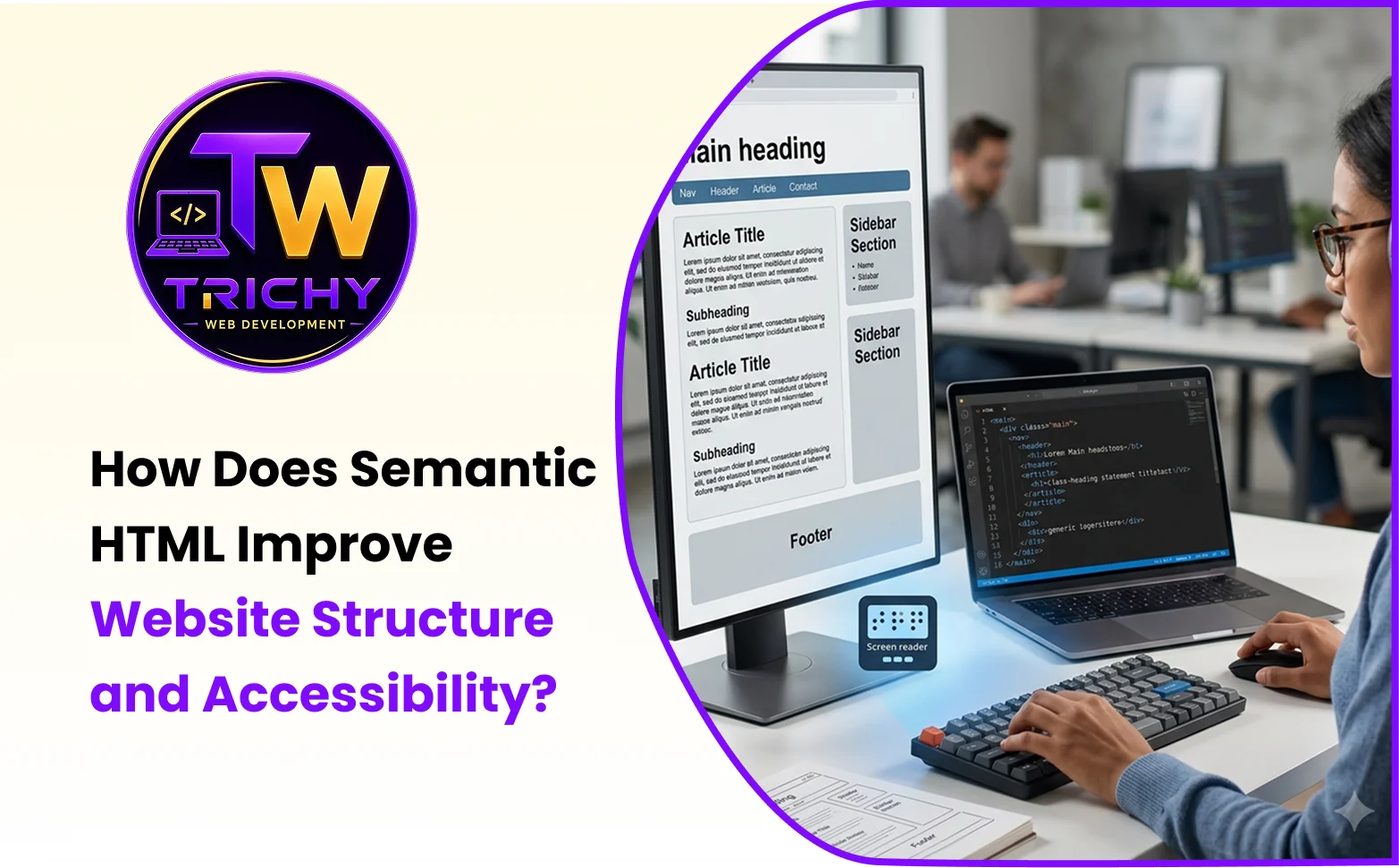
HTML document landmarks help assistive technologies identify important regions of a webpage.
Common structural landmarks include:
<header>
<nav>
<main>
<aside>
<footer>
These elements create recognizable regions that can make navigation easier for people using screen readers.
Consider a long business webpage containing:
-
Header and branding.
-
Main navigation.
-
Service information.
-
Product content.
-
Related information.
-
Contact details.
Without meaningful structure, a visitor using assistive technology may need to move through large amounts of content sequentially.
With appropriate landmarks, important areas become easier to identify and navigate.
This is especially valuable on content-heavy websites where visitors need to locate specific information quickly.
Building an Accessible HTML Page Structure
An accessible HTML page structure should communicate the relationship between major page areas and content elements.
A simplified structure could look like this:
<body>
<header>
<nav>
<!-- Primary navigation -->
</nav>
</header>
<main>
<h1>Website Development Services</h1>
<section>
<h2>Our Services</h2>
<!-- Service content -->
</section>
<section>
<h2>Development Process</h2>
<!-- Process content -->
</section>
<aside>
<!-- Related information -->
</aside>
</main>
<footer>
<!-- Footer content -->
</footer>
</body>
The important point is not simply using semantic tags. Each element should represent the content's actual purpose.
Using <section> everywhere without meaningful organization does not automatically create an accessible page.
Proper HTML Heading Nesting
Headings provide one of the most important structural signals within a webpage.
A typical hierarchy might look like:
H1
├── H2
│ ├── H3
│ └── H3
├── H2
│ └── H3
└── H2
The <h1> generally identifies the primary topic of the page.
An <h2> identifies a major subsection, while <h3> can introduce a subsection within that <h2> topic.
For example:
<h1>Website Development Services</h1>
<h2>Custom Website Development</h2>
<h3>Responsive Development</h3>
<h3>API Integrations</h3>
<h2>E-Commerce Development</h2>
This creates a logical hierarchy that users and assistive technologies can understand more easily.
Developers should not select heading levels merely because a particular heading size looks attractive. CSS should control visual appearance, while heading levels should represent document structure.
HTML Sectioning Elements Explained
Understanding the purpose of sectioning elements prevents developers from treating them as interchangeable containers.
<section> vs <article>
A section usually represents a thematic part of a larger page, while an article represents content that can stand independently.
For example, a blog page could use:
<article>
<h1>How Semantic HTML Improves Accessibility</h1>
<section>
<h2>Semantic Elements</h2>
</section>
<section>
<h2>Accessibility Benefits</h2>
</section>
</article>
<div> vs Semantic Elements
A <div> is a generic container without inherent semantic meaning.
It remains useful for grouping elements for styling or scripting when no more meaningful element is appropriate.
The goal is not to eliminate <div> elements. The goal is to avoid using them when a more appropriate semantic element exists.
A CLEAR Framework for Semantic HTML
Developers can use the CLEAR framework when structuring HTML:
C — Classify Content
Identify what each major content block actually represents.
L — Link Structure
Connect headings, sections, navigation, and related content logically.
E — Establish Landmarks
Use appropriate structural elements so major page regions are identifiable.
A — Apply Heading Hierarchy
Organize headings according to content relationships rather than visual size.
R — Review Accessibility
Test the resulting structure with accessibility tools and keyboard navigation.
This approach encourages developers to think about document meaning before styling individual components.
How Semantic HTML Helps Screen Readers
Screen readers interpret webpage structures and provide users with ways to navigate content.
Meaningful landmarks and headings can make it easier to move between major sections instead of requiring users to read every element sequentially.
For example, a screen-reader user may want to jump directly to the main content or navigate through the page's headings.
A meaningful HTML structure gives assistive technology more information about those relationships.
However, semantic HTML is only one part of accessibility. Keyboard support, form labels, focus management, color contrast, alternative text, accessible controls, and other considerations are also important.
Semantic HTML and Website Maintainability
Semantic structure can make development teams more efficient because the purpose of an element is easier to understand from the code itself.
Compare:
<div class="box1">
with:
<article>
The second communicates its intended role immediately.
This becomes increasingly valuable when multiple developers work on the same project or when a website is maintained for several years.
A meaningful structure can reduce the time required to understand existing templates, identify content regions, and safely make future changes.
Semantic HTML and SEO
Semantic HTML does not guarantee higher search rankings by itself.
However, clear document structure can help search engines interpret the organization and relationships within webpage content.
Meaningful headings, descriptive links, properly structured content, and valid HTML can contribute to a technically sound website.
The strongest approach is to treat semantic HTML as part of broader technical SEO rather than as a standalone ranking technique.
It should work alongside:
-
Descriptive page titles.
-
Useful and unique content.
-
Logical internal linking.
-
Crawlable navigation.
-
Mobile-friendly implementation.
-
Performance optimization.
-
Structured data where appropriate.
-
Accessible page construction.
Practical Example for a Business Website
Consider a business service page containing an introduction, services, benefits, process, FAQs, and contact information.
A weak structure might use generic containers for every area and choose heading levels based primarily on visual appearance.
A semantic structure could instead organize the page as:
<main>
<h1>Business Website Development</h1>
<section>
<h2>Website Development Services</h2>
</section>
<section>
<h2>Our Development Process</h2>
</section>
<section>
<h2>Frequently Asked Questions</h2>
</section>
<aside>
<!-- Related service information -->
</aside>
</main>
The second approach gives the page a clearer structural model.
A visitor sees the same visual design after appropriate CSS is applied, but the underlying document becomes easier for machines and assistive technologies to interpret.
Common Semantic HTML Mistakes
One common mistake is using headings only because they produce a desirable font size.
Another is placing multiple unrelated topics inside a single section without a meaningful heading or structural relationship.
Developers may also use <section> for every visual container even when a generic <div> would be more appropriate.
Using <article> for content that cannot meaningfully stand alone can also create misleading structure.
Another issue is treating accessibility as a visual design problem only. A page may look excellent while still having poor heading order, unclear landmarks, inaccessible controls, or missing semantic relationships.
Best Practices for Semantic HTML
Start by planning the document structure before building the visual layout.
Use the most meaningful HTML element available for each major content area.
Keep heading levels logically organized and avoid choosing heading tags based solely on font size.
Use <nav> for significant navigation areas rather than applying navigation labels only through CSS classes.
Use <main> to clearly identify the central page content.
Use <article> when content represents an independent piece of information.
Use <section> for meaningful thematic groups rather than arbitrary visual containers.
Keep generic <div> elements where they are genuinely useful for styling, layout, or scripting.
Finally, test the resulting structure with accessibility tools instead of assuming that semantic markup alone guarantees accessibility.
Semantic HTML Development Checklist
Before launching a website, developers can review:
-
The page has a clear primary <main> area.
-
Important navigation is identified appropriately.
-
The page has a logical heading hierarchy.
-
Heading levels reflect content relationships.
-
Sections represent meaningful topics.
-
Independent content uses appropriate semantic elements.
-
Generic containers are used only where necessary.
-
Landmark regions are understandable.
-
Links have meaningful purposes.
-
Forms use appropriate labels and semantic controls.
-
Keyboard navigation works correctly.
-
Accessibility testing has been performed.
How Professional Website Development Supports Semantic Structure
Semantic HTML should be considered during the development stage rather than treated as an afterthought.
A well-planned website architecture can establish page templates, heading relationships, navigation landmarks, reusable components, and accessibility considerations before the site becomes difficult to modify.
For businesses building or improving their websites, Trichy Web Development can support the development of structured, responsive, and maintainable business websites with attention to both technical implementation and user experience.
Conclusion
Semantic HTML provides a meaningful structural foundation for modern websites by describing what content represents rather than relying only on visual styling. Proper use of semantic elements, document landmarks, heading hierarchy, and sectioning elements can make pages easier to understand, navigate, maintain, and support with assistive technologies. Businesses should therefore consider semantic structure during the planning and development stages instead of trying to add accessibility improvements after the website is complete. When semantic HTML is combined with accessible interaction patterns, responsive design, clear content organization, and sound technical development, it creates a stronger foundation for a website that works effectively for a wider range of users.