Blog Summary
A business website may receive visitors without generating enquiries because of unclear service information, weak calls to action, slow loading speed, poor mobile usability, complicated contact forms or insufficient trust signals. Sometimes, the real problem is attracting visitors who are not interested in the services offered. Identifying where potential customers lose interest helps businesses improve website conversions and generate more relevant enquiries.
Quick Answer: Why Is My Business Website Not Getting Enquiries?
A business website may not generate enquiries because it attracts the wrong audience, has confusing navigation, loads slowly, lacks clear service information or makes contacting the business difficult. Weak calls to action, poor mobile design and missing trust signals can also reduce conversions. Improving these areas and tracking visitor behaviour can help turn relevant website traffic into customer enquiries.
Introduction
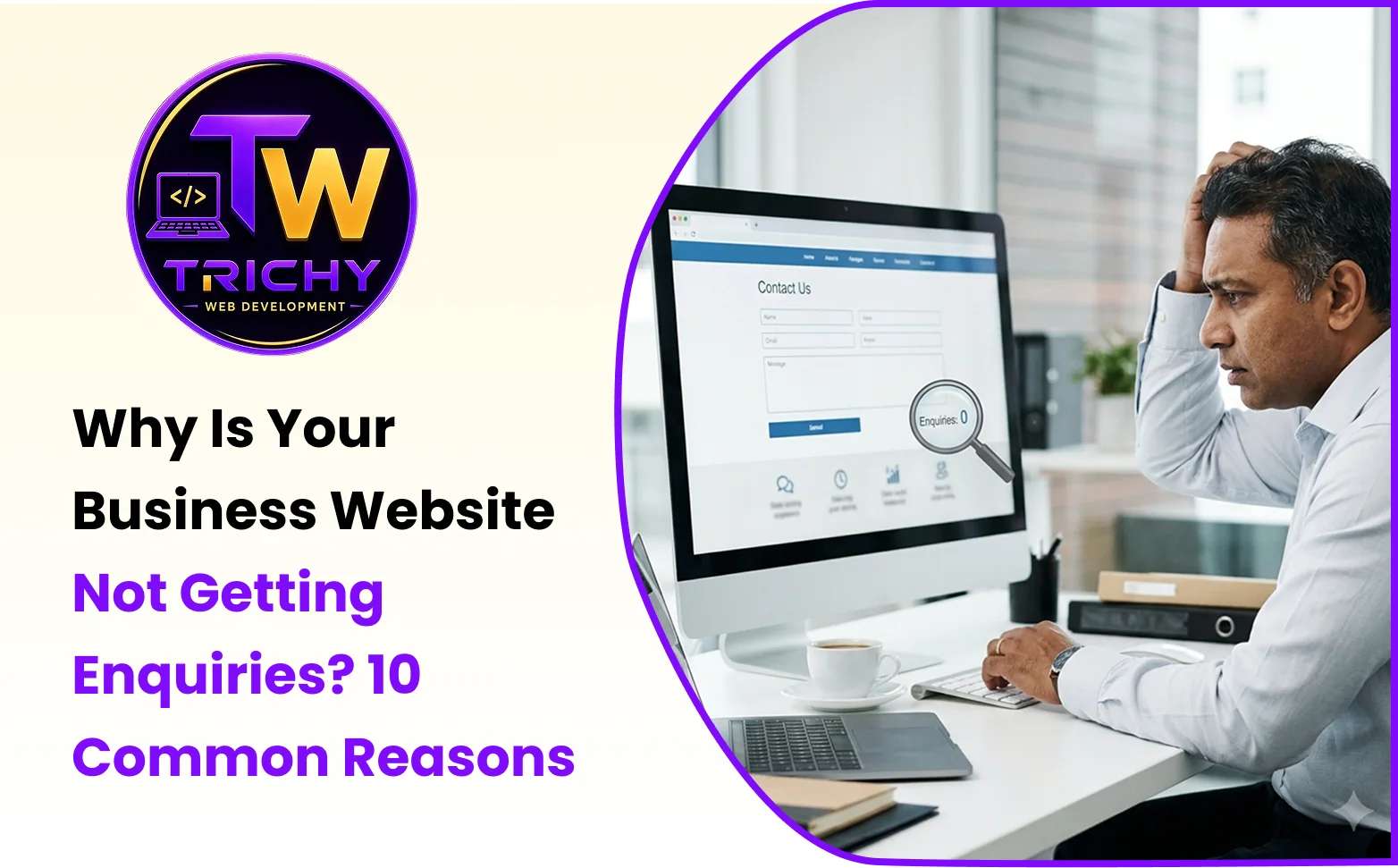
A business website can look professional, contain several service pages and receive regular visitors yet still struggle to generate customer enquiries. This situation is frustrating because website traffic alone does not explain whether visitors are interested in the business or why they leave without contacting it.
Some visitors may not find the service they need. Others may struggle to use the website on a smartphone, feel uncertain about the company's credibility or simply fail to notice how to request a quotation. In some cases, visitors submit enquiries successfully, but technical problems prevent those messages from reaching the business.
Understanding why a website is not getting enquiries requires examining the complete customer journey, from the initial search to the final contact action. The following ten reasons explain common website lead generation problems and practical ways businesses can address them.
1. Your Website Is Attracting the Wrong Audience
Not every website visitor is a potential customer. A business may receive traffic from search engines, social media or advertisements without attracting people who actually need its services.
For example, a company offering commercial website development company may receive visitors searching for free website templates or beginner programming tutorials. Although these visitors increase traffic numbers, they may have little intention of purchasing development services.
This is one reason a website may receive substantial traffic but generate very few enquiries.
How to Fix It
Focus on attracting visitors whose search intent matches the services offered.
Create dedicated pages for important services, target relevant commercial keywords and ensure that page content clearly explains the intended customer and service offering.
Review search queries in Google Search Console to understand which topics bring visitors to the website. Use Google Analytics 4 to examine traffic sources and engagement patterns.
The objective is not simply to increase traffic. It is to attract visitors who are more likely to become qualified leads.
2. Your Website Does Not Clearly Explain Your Services
Visitors should quickly understand what a business offers and whether those services match their requirements.
If a homepage contains vague statements such as "Innovative Solutions for Your Success" without explaining the actual services, potential customers may struggle to understand the company's purpose.
The same problem occurs when important service information is buried inside lengthy paragraphs or multiple unrelated services are combined into one confusing page.
How to Fix It
Use clear, descriptive headings that communicate the company's services and intended audience.
A service page should explain what the service includes, who it is suitable for, how the process works and what customers can expect.
For example, instead of using a heading such as "Transforming Digital Experiences," a web development company could use "Custom Business Website Development" and explain the specific functionality it provides.
Clear information helps visitors evaluate the service before deciding whether to contact the business.
3. Your Website Has Weak or Missing Calls to Action
A call to action (CTA) tells visitors what they should do next. Without a visible and relevant CTA, users may browse a website and leave without taking any meaningful action.
Common CTA problems include unclear button labels, poor placement, inconsistent wording and links that lead to unrelated pages.
A button labelled "Submit" may be functional, but it does not communicate the value of the action as clearly as "Request a Quote" or "Send Your Enquiry."
How to Fix It
Use action-oriented CTA text that matches the visitor's intention.
For a service-based website, suitable examples include "Request a Quote," "Discuss Your Project" and "Book a Consultation," provided those actions are actually available.
Place CTAs near relevant information, such as service descriptions, pricing explanations and the end of important pages.
Website call-to-action optimization should also consider button visibility, mobile usability and the destination page.
Avoid placing too many competing CTAs in the same section. A clear primary action makes it easier for visitors to decide what to do next.
4. Your Website Loads Too Slowly
Website loading speed influences how comfortably visitors can browse content and interact with important features.
If a page takes too long to display its main content, some visitors may leave before reading the service information or finding the contact button.
Slow performance can result from oversized images, unnecessary JavaScript, inefficient server responses, excessive third-party scripts or poorly optimised database operations.
How to Fix It
Evaluate important landing pages using Google PageSpeed Insights or Lighthouse.
Compress images, use suitable modern image formats, reduce unnecessary scripts and configure caching where appropriate.
Businesses should also monitor Core Web Vitals, including Largest Contentful Paint (LCP), Interaction to Next Paint (INP) and Cumulative Layout Shift (CLS).
Performance improvements should prioritise the pages visitors use most frequently, especially service pages, landing pages and contact forms.
A faster website does not automatically guarantee more enquiries, but it removes technical friction that can discourage potential customers.
5. Your Website Is Difficult to Use on Mobile Devices
A website may look attractive on a desktop computer but become difficult to navigate on a smartphone.
Small text, overlapping elements, difficult-to-tap buttons and contact forms that extend beyond the screen can create a poor website user experience.
This becomes particularly important when potential customers discover a business through mobile search or social media.
How to Fix It
Use responsive website design that adapts to different screen sizes.
Ensure navigation menus open correctly, buttons have sufficient spacing and form fields are comfortable to complete using touch input.
Important contact actions should remain easy to locate on mobile devices.
For example, a service business may provide a clearly visible call button or enquiry link on mobile pages so visitors can contact the company without searching through several sections.
Test the complete enquiry process on real mobile devices, not only through desktop browser previews.
6. Your Contact Form Is Too Complicated or Not Working
A website contact form is often the final step between visitor interest and a business enquiry.
If the form requests too much information, displays unclear errors or fails to submit correctly, potential customers may abandon the process.
Technical problems can also occur after submission. An enquiry may be stored in the database but fail to reach the business email address.
How to Fix It
Keep contact forms simple and request only the information needed for an initial response.
A typical enquiry form may include a name, email address, relevant contact number, service requirement and message.
Use clear field labels, helpful validation messages and an understandable submission confirmation.
Businesses should also test whether submitted enquiries are successfully delivered to the intended recipient.
Where appropriate, provide alternative contact options such as a telephone number or business email address.
A successful form submission should trigger a reliable internal process for receiving and responding to the enquiry.
7. Your Website Does Not Build Enough Customer Trust
Before contacting an unfamiliar business, visitors often look for evidence that the company is legitimate and capable of delivering the advertised services.
A website without meaningful company information, genuine project examples or clear contact details may create uncertainty.
Trust can also be affected by outdated content, broken links, inconsistent branding and unsupported claims.
How to Fix It
Provide accurate information about the company, its experience and its services.
Where available, include genuine customer testimonials, relevant project examples, professional certifications and case studies.
A business website should also display consistent contact information and explain its service process clearly.
For example, a web development company could present completed projects with information about the client's requirements, the solution delivered and relevant outcomes, where permission has been obtained.
Trust signals should be authentic and verifiable. Fabricated reviews, exaggerated achievements and unsupported performance claims can damage credibility.
8. Your Website Navigation Is Confusing
Visitors should not have to explore several unrelated pages to locate a service or contact the business.
Poor website navigation can make useful content difficult to discover, even when the information is already available.
Common website design mistakes include excessive menu options, unclear page labels, broken internal links and inconsistent navigation structures.
How to Fix It
Organise the website around the information customers are most likely to need.
Use descriptive navigation labels such as Services, About Us, Portfolio and Contact.
Create dedicated service pages where appropriate and connect related information using internal links.
For example, a business offering website design, e-commerce development and custom software can organise these services into separate pages rather than presenting every offering in one long section.
Review navigation from a first-time visitor's perspective. A customer should be able to identify the relevant service and find the next contact step without unnecessary effort.
9. Your Website Content Does Not Address Customer Questions
Visitors often need specific information before they are ready to contact a business.
A service page that contains only a short description and a promotional statement may not answer important questions about the service process, deliverables, suitability or pricing factors.
When customers cannot find the information they need, they may continue researching other providers.
How to Fix It
Create service content based on real customer questions and decision-making needs.
Explain the service scope, expected process, relevant requirements and factors that influence cost or delivery timelines.
Include FAQs that answer common questions without repeating information already covered.
For example, a custom website development page could explain how project requirements are collected, what functionality can be included, how revisions are handled and what happens after launch.
Useful content should help customers make informed decisions rather than relying entirely on promotional claims.
10. You Are Not Tracking Website Conversions
A business may assume that its website is failing because enquiries are low, but without reliable measurement, it is difficult to identify the actual problem.
Some websites receive very little relevant traffic. Others attract interested visitors but lose them during the enquiry process.
There may also be tracking problems that cause completed enquiries to go unrecorded.
How to Fix It
Configure analytics and conversion tracking to measure important website actions.
Google Analytics 4 can be used to track events such as form submissions and relevant contact interactions. Google Search Console provides information about organic search visibility, search queries and landing-page performance.
Businesses can review:
-
The number of visitors reaching important service pages.
-
The traffic sources bringing potential customers to the website.
-
The number of successfully completed enquiry forms.
-
The proportion of visitors who complete a desired conversion.
-
The performance of mobile and desktop visitors.
-
The pages where visitors leave before completing an enquiry.
Tracking should be configured carefully to avoid duplicate events or misleading conversion counts.
Reliable measurement helps businesses identify which pages need improvement instead of making changes based only on assumptions.
How to Increase Website Enquiries: A Practical Conversion Framework
Businesses can use the following five-stage framework to diagnose and improve website lead generation.
The LEADS Framework
L – Locate the Right Audience
Identify whether website visitors are searching for services the business actually provides. Review traffic sources, search intent and landing-page relevance.
E – Explain the Business Value
Make service descriptions clear and specific. Help visitors understand what the business offers, who it serves and why the solution may meet their needs.
A – Assist the Visitor Journey
Improve navigation, mobile usability, loading speed and content organisation. Remove unnecessary obstacles between the visitor's first interaction and the enquiry process.
D – Direct Users Towards Contact
Provide relevant calls to action, simple enquiry forms and accessible contact options. Ensure that every important contact method works correctly.
S – Study Conversion Performance
Track enquiries, review landing-page behaviour and identify opportunities for improvement. Make changes based on reliable data and repeat the evaluation process.
This framework helps businesses address both the quality of incoming traffic and the usability of the website itself.
How to Measure Website Enquiry Conversion Rate
Website conversion rate improvement begins with understanding how many visitors complete the desired action.
A basic enquiry conversion rate can be calculated using the following formula:
Website Enquiry Conversion Rate = (Visitors Who Submit an Enquiry ÷ Total Visitors) × 100
For example, suppose a business website receives 2,000 visitors during a month and 30 of those visitors submit an enquiry.
The conversion rate would be:
(30 ÷ 2,000) × 100 = 1.5%
This means 1.5% of visitors submitted an enquiry during the measured period.
The calculation should use a consistent definition of visitors and conversions. If the business measures sessions instead of individual visitors, it should label the result as a session-based conversion rate.
A conversion rate should not be evaluated in isolation. Businesses should also consider enquiry quality, traffic sources, service type and the value of leads generated.
Common Website Problems and Recommended Solutions
|
Website problem |
Possible impact |
Recommended improvement |
|
Irrelevant traffic |
Visitors have little interest in the service. |
Target relevant keywords and audiences. |
|
Unclear service pages |
Customers cannot evaluate the offering. |
Improve service descriptions and headings. |
|
Weak CTAs |
Visitors are unsure what to do next. |
Add clear, relevant contact actions. |
|
Slow loading speed |
Visitors may leave before interacting. |
Optimise images, scripts and server performance. |
|
Poor mobile usability |
Mobile users struggle to navigate. |
Improve responsive layouts and touch controls. |
|
Complicated contact forms |
Potential customers abandon enquiries. |
Reduce unnecessary fields and test submissions. |
|
Missing trust signals |
Visitors may hesitate to contact the business. |
Add genuine testimonials and project evidence. |
|
Confusing navigation |
Important pages are difficult to find. |
Simplify menus and internal linking. |
|
Incomplete content |
Customer questions remain unanswered. |
Provide useful service details and FAQs. |
|
Missing conversion tracking |
Businesses cannot identify the problem. |
Configure and validate enquiry tracking. |
Website Enquiry Improvement Checklist
Before investing in a complete website redesign, businesses should evaluate the following areas:
-
Confirm that the website attracts visitors searching for relevant services.
-
Check whether the homepage clearly communicates the main business offering.
-
Review important service pages for useful and complete information.
-
Test loading speed and mobile responsiveness.
-
Ensure every primary CTA leads to the correct destination.
-
Submit test enquiries and verify successful delivery.
-
Review contact information, testimonials and business credibility.
-
Check navigation links and the accessibility of important pages.
-
Configure accurate analytics and conversion tracking.
-
Compare results after making measurable improvements.
A structured review can help identify issues that are relatively simple to resolve before committing to major design or development changes.
Improving Business Website Conversions Through Better Development
Some enquiry problems can be resolved through content updates or CTA improvements. Others require changes to website structure, functionality or technical performance.
For example, a contact form that regularly fails may need backend corrections, while a website with poor mobile usability may require responsive layout improvements. Slow service pages may need image optimisation, script reduction or server-side performance work.
Businesses evaluating these issues can explore the website development services offered by Trichy Web Development. A development approach based on user requirements, performance, navigation and enquiry functionality can help address technical barriers that prevent visitors from contacting a business.
The objective should be to make the website easier to understand and use, not simply to change its appearance.
Conclusion
A business website that receives visitors but fails to generate enquiries may have problems with audience targeting, service information, usability, technical performance or the contact process. These issues are not always visible from the website's appearance alone.
Understanding why a website is not getting enquiries requires examining how visitors discover the business, evaluate its services and attempt to make contact. By improving content clarity, mobile usability, calls to action, contact forms and conversion tracking, businesses can remove common barriers to customer engagement.
The most effective approach is to identify specific problems, implement targeted improvements and measure the results. A business website should not only attract visitors but also make it easy for interested customers to take the next step.